Shopping Cart



TATÚ FX - Infected Veins
221200300
€15.00
18,15 € Tax incl.
18,15 € Tax incl.
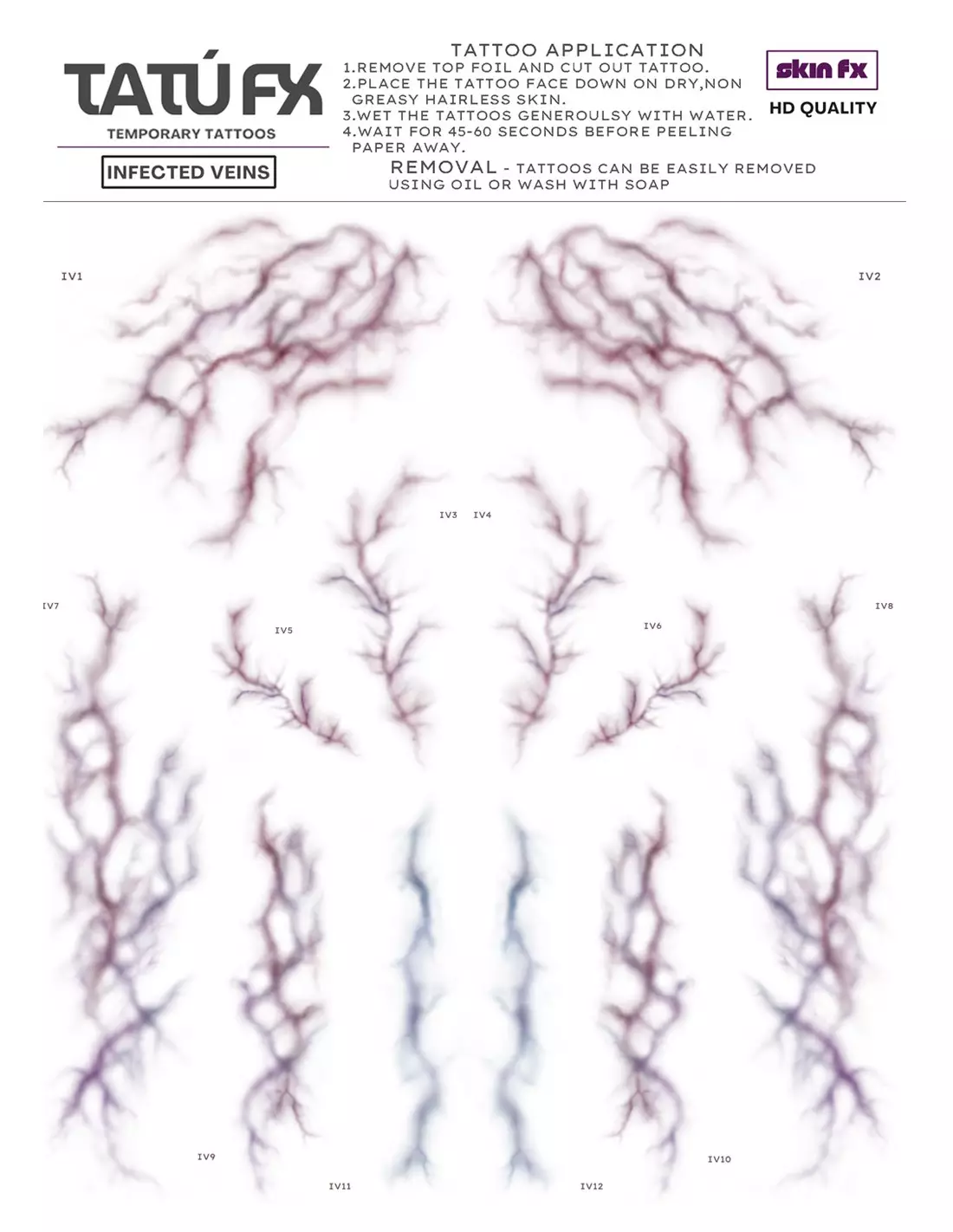
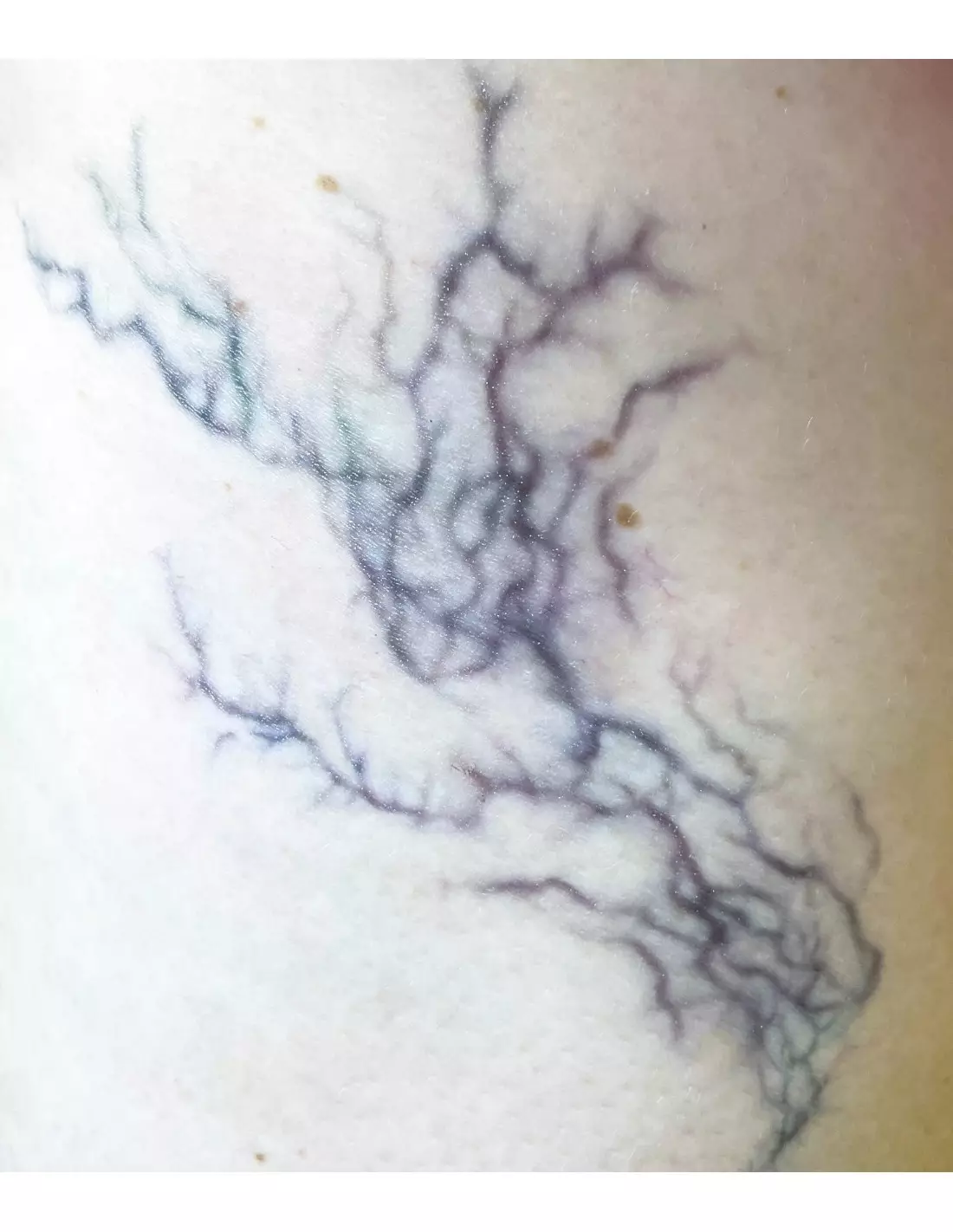
A5 sheet with 12 infected vein temporary tattoos for SFX. Realistic designs, skin-safe and ready to apply in minutes.
TATÚ FX Infected Veins is an A5 sheet of professional temporary tattoos featuring 12 infected vein designs in different shapes and sizes, designed for special effects makeup that requires a hyper-realistic finish with minimal time and effort. Created by a professional makeup artist and certified as skin-safe, it is the fastest tool to create diseased skin, decomposition or infection effects on any talent, whether on set, on stage or in a photo shoot.
Technical specifications
| Format | A5 sheet |
|---|---|
| Number of designs | 12 infected veins |
| Variety | Different shapes and sizes |
| Product type | Temporary transfer tattoo |
| Application | Directly onto skin |
| Safety | Certified skin-safe |
| Application orientation | Design appears mirrored on the skin |
What it's used for
Infected Veins is designed for professional and semi-professional SFX makeup artists who need to build diseased, infected or decomposing skin effects quickly and convincingly. The designs can be layered on top of each other and combined with other transfers from the TATÚ FX range, allowing you to adjust the intensity, direction and depth of the effect.
- Infected vein and decomposing skin effects for zombie and monster character makeup
- SFX makeup for film, television and advertising
- Theatre and performing arts requiring fast, repeatable effects
- Cosplay and fantasy, horror and sci-fi conventions
- Photography and artistic video shoots
- Practice and training in SFX makeup schools
How to use it
- Cut out the desired design from the A5 sheet, leaving a small margin around it.
- Make sure the area of skin where you are going to apply it is clean, dry and free of creams or oils.
- Place the transfer with the printed side facing the skin.
- Dampen the back of the paper with a wet sponge or cloth and hold firm pressure for 30 seconds.
- Carefully peel the paper away from one corner. If the transfer has not fully released, re-dampen and wait a few more seconds.
- Allow to dry before layering other designs or applying makeup over the area.
- To enhance realism, combine with skin tone color palettes to integrate the transfer into the character's overall makeup.
- To remove the transfer, use oil or a dedicated makeup remover.
Tips for use
Layering for greater realism
Don't limit yourself to a single design. Overlapping several pieces of Infected Veins with slight offsets between them creates a more complex and believable vascular network. Also vary the partial opacity of each layer: leave some areas more diffused with a little translucent makeup on top to simulate deeper veins beneath the skin.
Integration with base makeup
Transfers work best when integrated into a complete makeup context. Use a dark tones palette or a complexion palette to add reds, greens and yellows around the veins, simulating the inflammation and infection of the surrounding tissues. This eliminates the "sticker" effect and visually anchors the transfer to the skin.
Important: the design is mirrored
Bear in mind that the design appears in mirror image compared to how it looks on the sheet. Plan the direction of the veins before applying, especially if you are building a symmetrical composition or one that follows the anatomical path of real veins. Do a test on paper or on a non-visible area before filming or performance.
Frequently asked questions
Are these temporary tattoos safe for all skin types?
TATÚ FX Infected Veins designs are certified skin-safe. However, if the talent has particularly sensitive skin, a history of cosmetic allergies or dermatitis, always carry out a patch test on a small area of the forearm 24 hours before full application.
How long do they last once applied?
Durability depends on skin type, sweating and friction from clothing or props. Under normal filming or performance conditions, the transfers hold up for several hours without visible degradation. To extend their lifespan, avoid applying creams or oils over the area and do not spray them directly with water.
Can they be combined with other transfers from the same range?
Yes, and that is precisely where their potential lies. Infected Veins is designed to be combined and layered with other TATÚ FX designs. To expand your options, you can also create your own custom transfers using the Neills transfer paper in A4 format.
How are they removed without damaging the skin?
Apply baby oil, olive oil or a dedicated makeup remover over the transfer. Leave it to work for a few seconds and then gently remove with a cotton pad or damp cloth. Do not rub dry: oil is the key to lifting the transfer without irritating the skin.
Can makeup be applied over the transfer?
Yes. Once the transfer is dry, you can apply alcohol-activated makeup or conventional makeup bases on top to integrate the effect. Avoid highly oily products directly on the transfer, as they can degrade it prematurely. Alcohol-activated makeup palettes are the best option for working on and around the designs.
Does the design appear mirrored compared to the sheet?
Yes. When applying the transfer, the design appears reversed on the skin compared to how it is printed on the sheet. Keep this in mind when planning the direction of the veins, especially in anatomical or symmetrical compositions.
Are they suitable for character makeup on children or use in schools?
The transfers are certified skin-safe, but for use on minors it is advisable to consult the product safety data sheet and in any case carry out a patch test beforehand. In training environments, they are an excellent tool for practising SFX effect compositions without the need for more complex materials.
Can PTM be used to better fix or integrate the transfer?
PTM Light Flesh and PTM Clear are prosthetic transfer materials that allow you to create transition layers between the transfer and the skin, softening edges and increasing the cohesion of the overall effect. This is an advanced technique widely used in high-end character makeup to completely eliminate visible edges.
No reviews
Tap to zoom