Shopping Cart



Skin Illustrator Mini Adjusters 1
270027004
€59.00
71,39 € Tax incl.
71,39 € Tax incl.
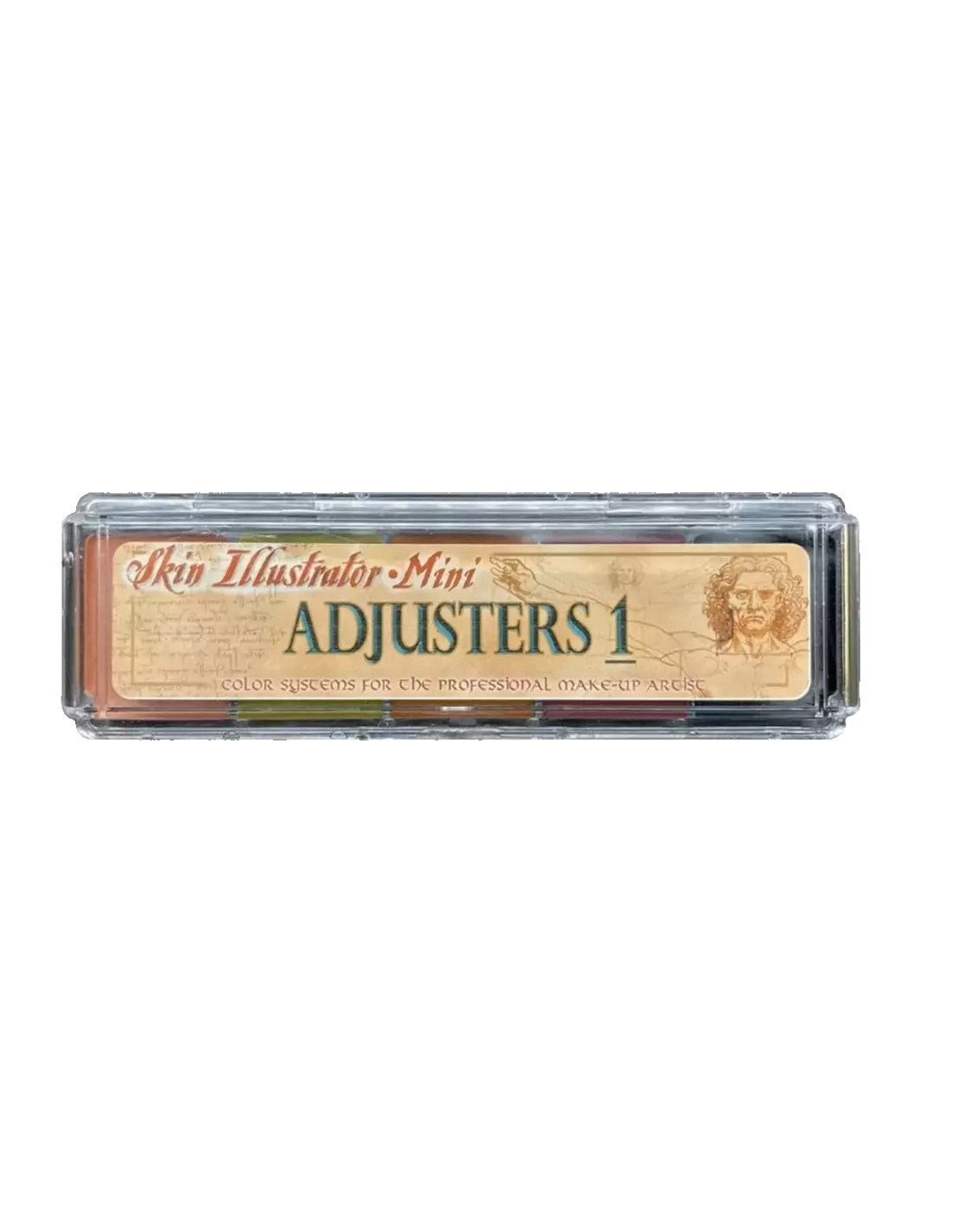
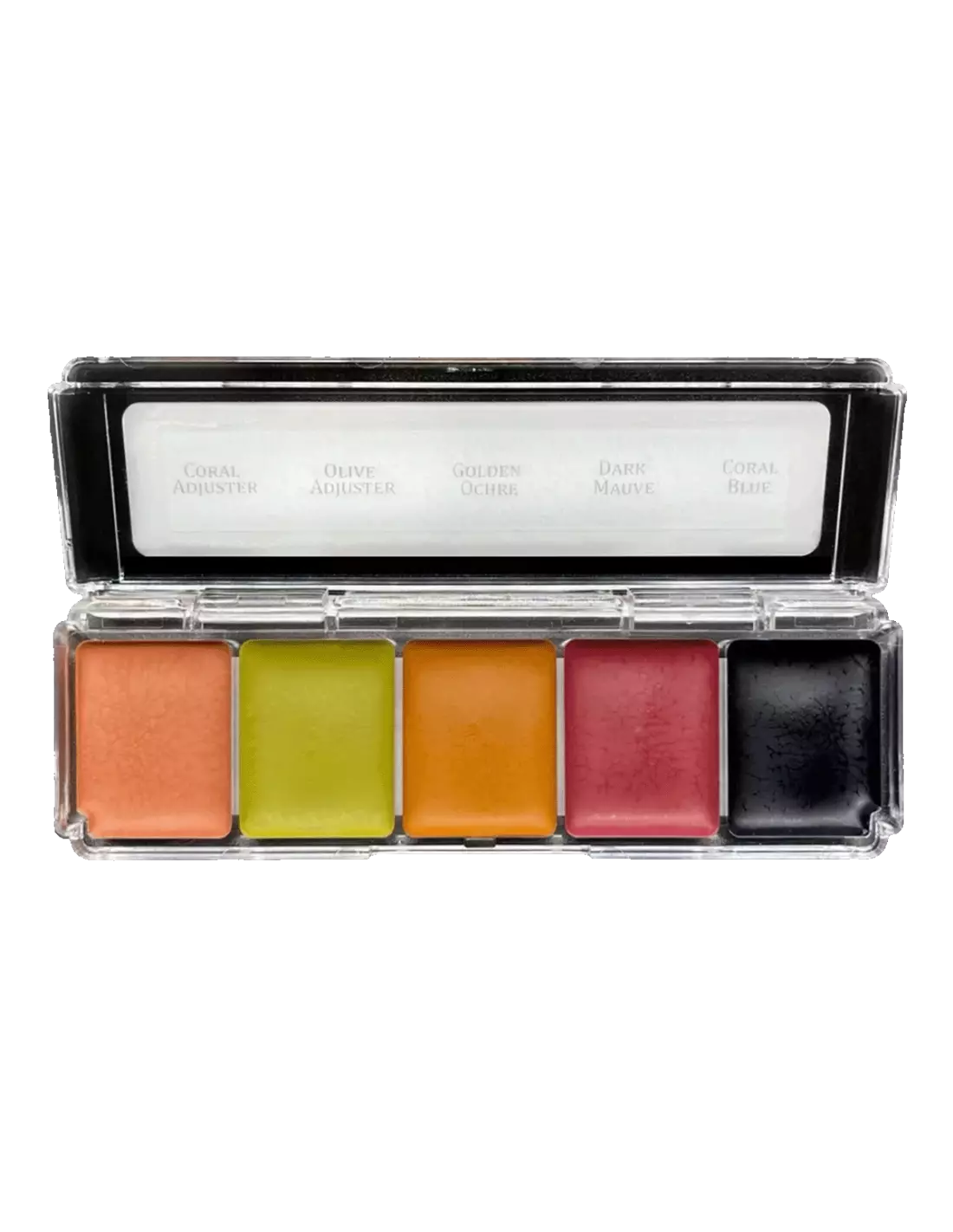
Skin Illustrator Mini Adjusters 1 alcohol-activated makeup palette with 5 correction colours: Coral Adjuster, Olive Adjuster, Golden Ochre, Dark Mauve and Coral Blue.
The Skin Illustrator Mini Adjusters 1 palette is an alcohol-activated makeup palette designed for tone correction and adjustment in professional character makeup. With five high-coverage colours — Coral Adjuster, Olive Adjuster, Golden Ochre, Dark Mauve and Coral Blue — it is an essential tool for toning, neutralising and unifying shades on skin, silicone prosthetics and latex with exceptional longevity.
Technical specifications
| Feature | Detail |
|---|---|
| Product type | Alcohol-activated makeup palette |
| Number of colours | 5 |
| Colours included | Coral Adjuster, Olive Adjuster, Golden Ochre, Dark Mauve, Coral Blue |
| Compatible surfaces | Skin, silicone, latex |
| Recommended activator | Skin Illustrator Activator / Skin Illustrator Slow Activator / 99% isopropyl alcohol |
| Removal | Telesis Super Solv |
| Format | Mini palette (ideal for students and detail work) |
What it is used for
The colours in the Mini Adjusters 1 palette are formulated for tone correction and modulation in special effects makeup, theatrical and film character work, and prosthetic applications. Their high coverage and adhesion make them suitable both on natural skin and on prosthetic materials:
- Neutralisation and correction of tones on painted silicone prosthetics
- Adjustment of undertones (warm, cool, olive) in character makeup on skin
- Detail painting on vulcanised latex for wound or ageing effects
- Unification and transition between the prosthetic tone and the actor's skin
- Studio work for SFX makeup students who need to practise colour correction
- Colour touch-up and adjustment on set or live performance without losing longevity
How to use it
- Prepare the surface: make sure the skin or prosthetic is clean, dry and free of grease. On silicone prosthetics, the surface should be primed if necessary.
- Activate the colour: dampen the brush with Skin Illustrator Activator, Slow Activator or 99% isopropyl alcohol. Do not use 70° alcohol, MEK, acetone or water, as they do not correctly activate the formulation.
- Pick up the colour: touch the pan with the damp brush and load the amount you need. The colour activates immediately.
- Apply in thin layers: work in thin, overlapping layers to control intensity. Allow to dry between layers (just a few seconds).
- Mix and adjust: you can mix the palette colours on an auxiliary palette or directly on the surface to achieve the exact shade you need.
- Set if necessary: for skin applications, you can set with a light alcohol spray to increase resistance to touch.
- Removal: use Telesis Super Solv to cleanly dissolve the makeup without damaging the prosthetic or the skin.
Usage tips
Choose the right activator based on your available time
The standard Skin Illustrator activator dries quickly, which is ideal on set. If you need more time to blend or diffuse — for example, on long transitions over prosthetics — use the Slow Activator. In emergency situations, 99% isopropyl alcohol works as a substitute, but the result may be slightly less even. Never use 70° alcohol or water: they will leave the colour tacky and unfixed.
Use the adjusters as a correction base, not as a finishing colour
The Mini Adjusters 1 colours are designed to correct and modulate, not to create the final tone on their own. Use them underneath or blended together with flesh tone palettes such as the Skin Illustrator Flesh Tone Palette or the Skin Illustrator Complexion Palette to achieve more natural and realistic results.
Palette storage
Store the palette closed and away from heat and direct light. If the colours dry out slightly over time, simply activate them with a few drops of activator or 99% isopropyl alcohol to restore their texture. Do not wet the palette directly with water or leave it open during work.
Frequently asked questions
Can this type of makeup be used directly on sensitive skin?
The alcohol-based Skin Illustrator formulation is generally well tolerated, but on very sensitive skin or with a history of reactions, a patch test on a small area is recommended before full application. The Mini Adjusters 1 palette is intended for professional character makeup use, not for daily cosmetic use.
Can I apply it on any prosthetic silicone?
Yes, Skin Illustrator colours are compatible with FX-grade silicones commonly used in character makeup. For best results on encapsulated silicones or those with special finishes, always apply in thin layers and check adhesion on a test area first.
What is the difference between this palette and a flesh tone palette?
Adjuster palettes like Mini Adjusters 1 contain correction colours: olive, coral, blue and dark brown tones to neutralise unwanted undertones. Flesh tone palettes, such as the Flesh Tone Palette, offer the actual range of skin colours. Both are used together in a professional workflow.
How is this makeup activated?
It is activated by dampening the brush with Skin Illustrator Activator, Slow Activator or 99% isopropyl alcohol. It is essential not to use 70° alcohol, water, MEK or acetone, as they do not correctly activate the formula and can ruin the finish.
How long does the makeup last once applied?
Once activated and dry, Skin Illustrator makeup offers very high resistance to sweat and touch, suitable for long shooting days or live performances. Longevity may be compromised by prolonged contact with water or excessive perspiration.
How is it removed?
Telesis Super Solv is the recommended remover for cleanly and safely removing Skin Illustrator makeup from both skin and silicone or latex prosthetics.
Is this palette suitable for students?
Yes, the Skin Illustrator mini format is designed precisely for students and professionals who want to explore the range without investing in full-size palettes. Handling is identical to the professional versions, making it a learning option that is directly applicable to a real working environment.
Can these colours be mixed with those from other palettes of the same brand?
Yes, all Skin Illustrator range colours are compatible with each other. You can combine the adjusters from this palette with the tones from the Skin Illustrator Complexion Palette or the effects from the Skin Illustrator FX Palette to expand your creative possibilities.
No reviews
Tap to zoom