Shopping Cart



TATÚ FX - Zombie Skin
221200401
€15.00
18,15 € Tax incl.
18,15 € Tax incl.
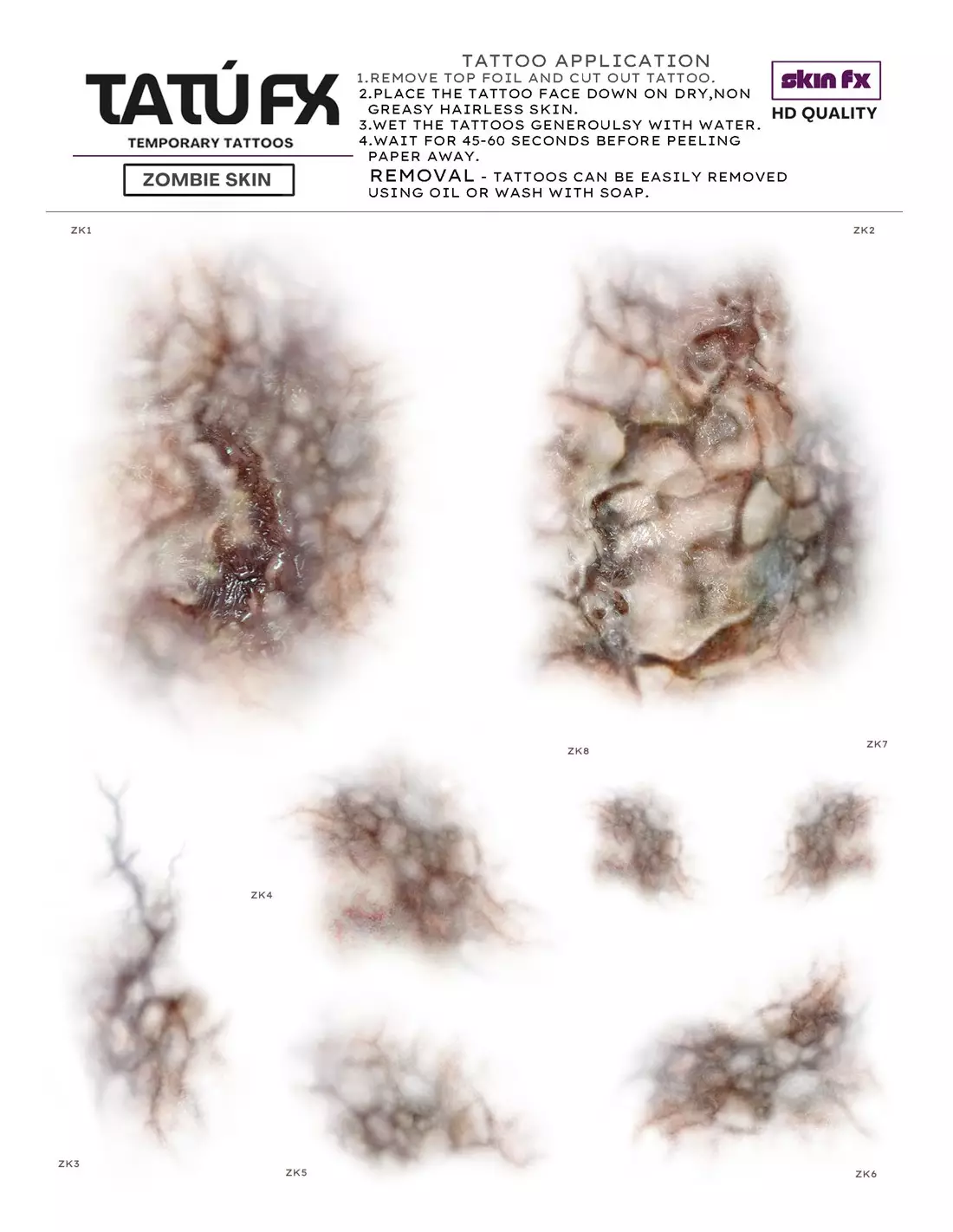
A5 sheet with 8 zombie skin temporary tattoos. Designed by a professional SFX makeup artist. Ready to apply, no hand painting required.
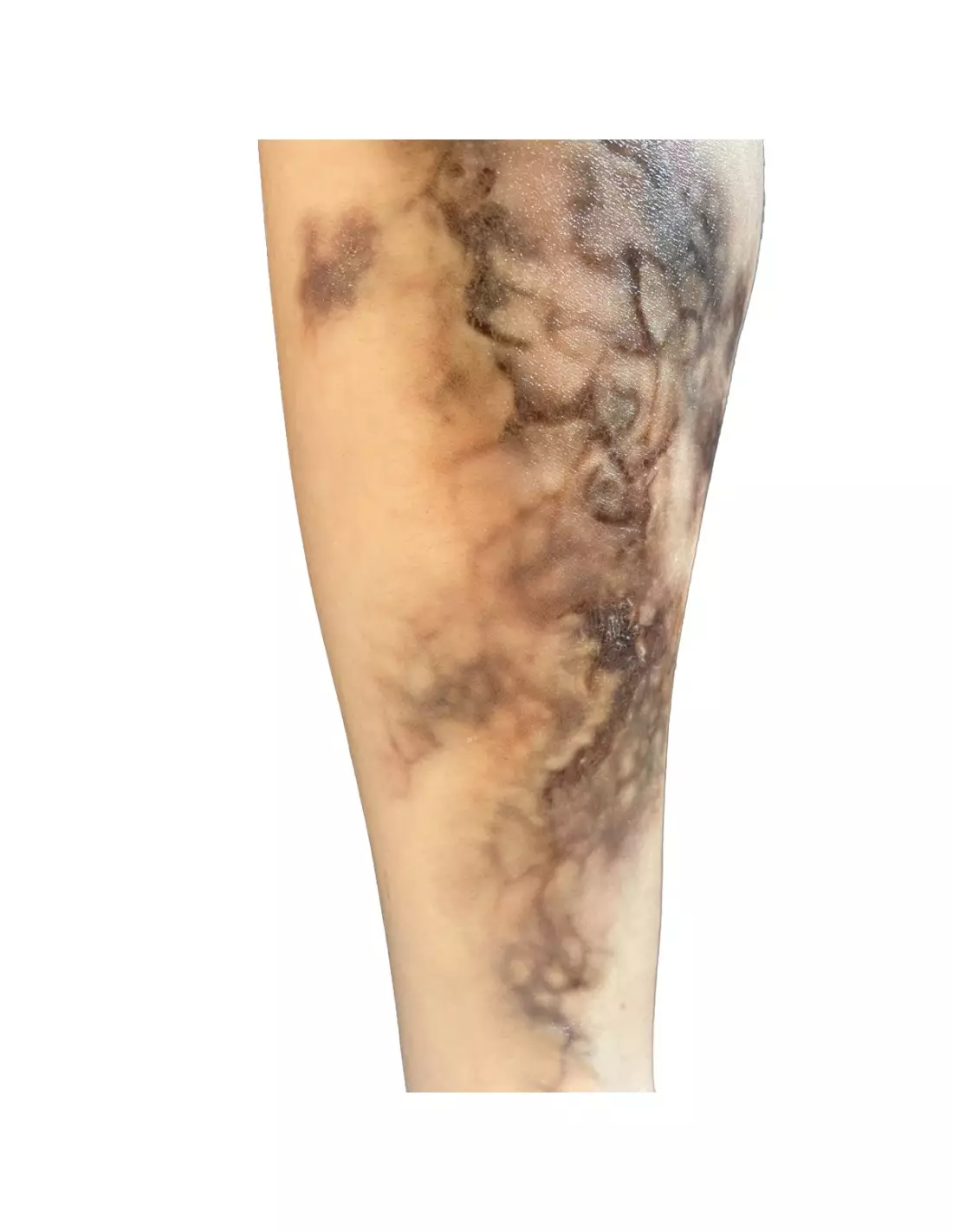
TATÚ FX Zombie Skin is an A5 sheet featuring 8 professional temporary tattoos of decomposing skin, designed by an SFX makeup artist. Each design delivers an ultra-realistic damaged flesh and zombie look that you can apply in minutes — no hand painting, no prior technical skills required. Layer and combine multiple transfers to adjust intensity and achieve professional-level results.
Technical specifications
| Format | A5 sheet |
|---|---|
| Number of tattoos | 8 per sheet |
| Designs | Zombie skin / decomposition (various shapes and sizes) |
| Product type | Ready-to-apply professional temporary tattoo |
| Designed by | Professional SFX makeup artist |
| Application orientation | Designs appear mirrored on skin |
| Use | Special effects, film, theatre, cosplay, haunted attractions, photo shoots |
What it's used for
These transfers are designed to create wound effects, decomposing flesh and zombie looks quickly and convincingly. They are ideal for both professional SFX makeup artists and cosplay enthusiasts or audiovisual production teams who need believable results without spending time on hand painting.
- Special effects in film, television and music video shoots
- Theatre performances and horror shows
- Haunted attractions, escape rooms and Halloween events
- Cosplay and zombie or post-apocalyptic themed conventions
- Artistic and editorial SFX photography sessions
- Special effects makeup courses and demonstrations
- Combination with other temporary tattoos (bruises, lividity, veins) for complex looks
How to use it
- Thoroughly clean and dry the area of skin where you are going to apply the tattoo. Avoid applying creams or oils beforehand.
- Cut out the desired design from the A5 sheet, leaving a small margin around it.
- Place the transfer face down onto the skin.
- Dampen the back of the transfer evenly with a wet sponge or cloth.
- Hold firm pressure for 30–60 seconds without moving the paper.
- Carefully peel the paper away from one corner. If the design has not fully transferred, re-dampen and press again.
- Allow a few seconds to dry before touching the area.
- For greater realism and depth, layer multiple tattoos from the same sheet or combine them with PTM Light Flesh or PTM Clear to blend the edges.
- Reinforce the finish with alcohol palettes such as the Skin Illustrator Flesh Tone Palette to refine tones and add dimension.
Tips for use
Combine designs for a more convincing result
A single tattoo may be enough for a targeted effect, but layering several designs from the same sheet — or combining them with bruise, lividity and vein transfers — multiplies the realism. Vary the orientation and degree of overlap so the result doesn't look repetitive. Remember that designs are mirrored when applied, so plan your composition before transferring.
Blend the edges with PTM or alcohol palettes
The critical point of any transfer is the edge: if the paper outline is visible, the illusion breaks. Apply PTM Clear or PTM Light Flesh over and around the transfer to feather the perimeter into the skin. Then use a flesh tone palette or the Skin Illustrator Dark Fleshtone Palette to match the model's skin tone.
Storage and getting the most out of your sheet
Store the sheet in a dry place away from direct heat to prevent the transfers from deteriorating before use. If you only need some of the designs in a session, cut out only the ones you plan to use and keep the rest in the original bag or envelope. Unused designs retain their quality when stored correctly.
Frequently asked questions
How long do these tattoos last on skin?
Duration depends on the area of application, movement and skin hydration. Under normal conditions, TATÚ FX Zombie Skin temporary tattoos hold up well for several hours — enough for a shooting session, performance or event. Areas subject to more friction or perspiration may reduce longevity.
Can they be applied to any skin tone?
Yes. The decomposition and zombie skin designs work on different skin tones, though the visual result will vary. For darker skin tones, you can use the Skin Illustrator Dark Fleshtone Palette to better integrate the transfer with the model's base tone.
How are the temporary tattoos removed?
They are easily removed with soap and water, or baby oil. No harsh solvents are required. If you have applied PTM on top to blend the edges, remove that first following the product instructions before cleaning off the transfer.
Can the designs be used on areas with hair?
It is recommended to apply them to clean skin with as little hair as possible to ensure good adhesion and a clean finish. On areas with fine, short hair the result is acceptable, but the transfer may be incomplete.
What is the difference between using these transfers and hand painting wounds?
TATÚ FX Zombie Skin temporary tattoos allow you to achieve high-quality effects in a matter of minutes without needing to master painting techniques. They are ideal when time is limited or when working with multiple actors/models in the same session. Hand painting offers greater customisation but requires significantly more time and skill. Both techniques can be combined: apply the transfer as a base and use alcohol palettes to add detail and depth.
Can they be applied over silicone or latex prosthetics?
Yes, it is possible to apply transfers over prosthetics if the surface is smooth and non-porous. To better integrate the transfer onto a prosthetic, combine it with PTM Clear and activated alcohol palettes to unify the finish between the prosthetic and the transfer.
How many applications are included in one sheet?
Each A5 sheet includes 8 tattoos in different shapes and sizes. Each tattoo is single use. If you need to cover large areas or repeat the effect on multiple models, you can purchase additional sheets or combine them with other references from the TATÚ FX range.
Can more of these designs be printed using transfer paper?
No: TATÚ FX Zombie Skin is a closed product with professionally printed designs. If you need to create your own custom designs, the Tattoo and PTM Transfer Paper by Neill's Materials allows you to print any design of your own using an inkjet printer and transfer it to skin or prosthetics.
No reviews
Tap to zoom