Shopping Cart



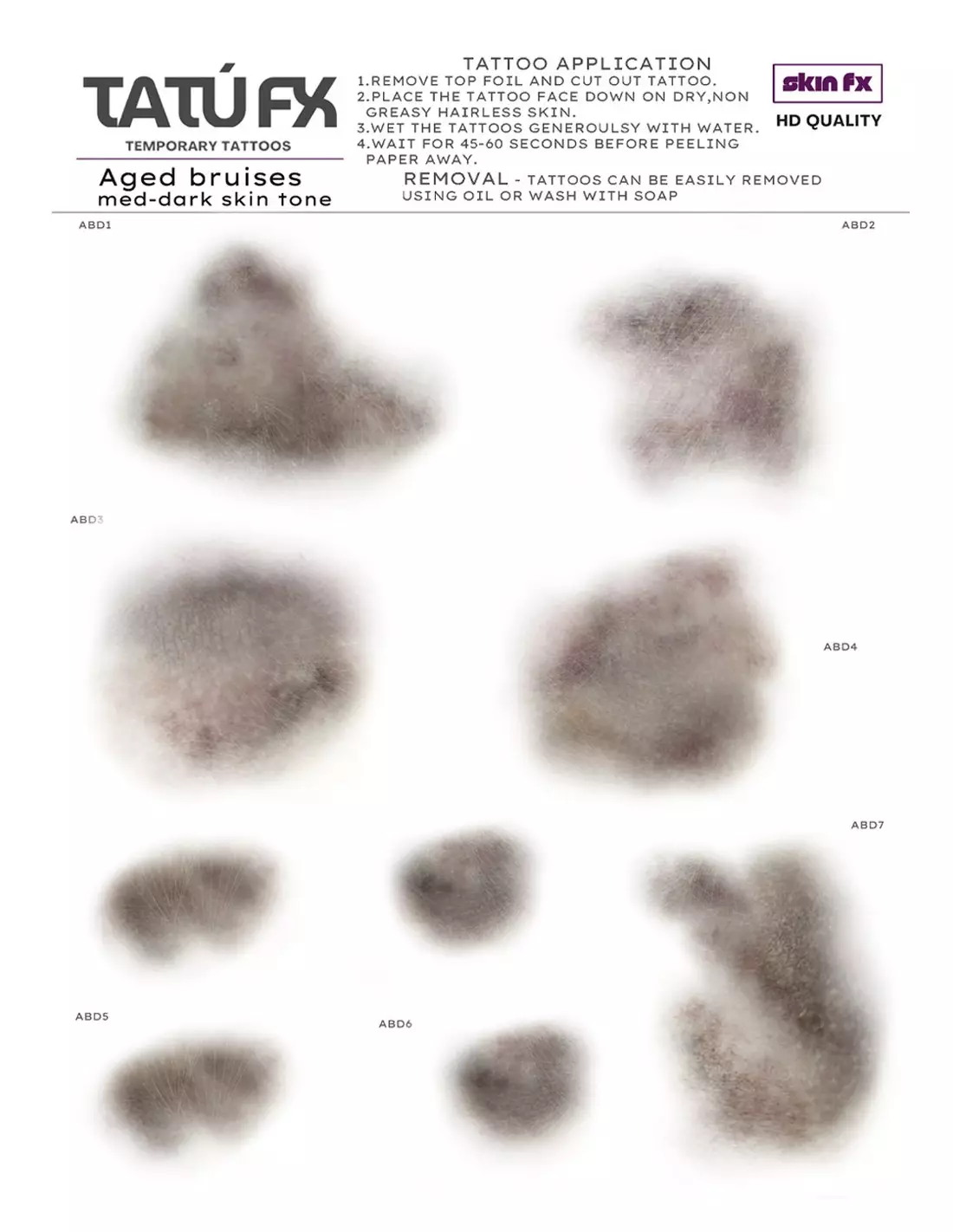
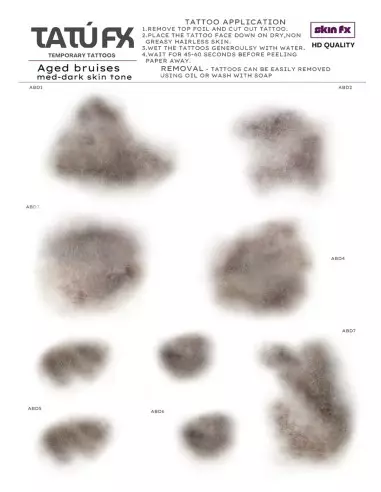
TATÚ FX - Aged Bruises - Dark Skin
221200201
€15.00
18,15 € Tax incl.
18,15 € Tax incl.
Professional temporary tattoos of aged bruises in dark tones. A5 sheet with 9 different designs, ready to apply on dark and medium-dark skin.
TATÚ FX Aged Bruises Dark Skin is an A5 sheet of temporary tattoos designed by professional makeup artists to simulate advanced-stage bruising on dark and medium-dark skin tones. The 9 included designs reproduce the real evolution of a several-days-old bruise: deep purplish, brownish and greenish tones that integrate convincingly without requiring additional colour correction. A fast, camera-ready solution for film sets, theatre or medical training.
Technical specifications
| Format | A5 sheet |
|---|---|
| Number of designs | 9 bruises in different shapes |
| Colour range | Dark tones (purplish, brownish, greenish) for dark and medium-dark skin |
| Simulated stage | Aged bruise, several-days evolution |
| Product type | Water transfer temporary tattoo |
| Application | Dry, clean, hair-free and grease-free skin |
| Application time | 45-60 seconds of moistening |
| Removal | Specific solvent for transfer makeup (isopropyl myristate, transfer removers) |
What it is used for
This product is designed for professional makeup artists and students who need realistic results quickly, especially when the subject has a dark or medium-dark skin tone. The aged range covers the most advanced stages of bruising, with the characteristic nuances of several days of evolution.
- Special effects (FX) makeup on film, TV and short film sets
- Character makeup for theatre, live shows and performances
- Editorial photography sessions and artistic makeup lookbooks
- Simulations and medical training: healthcare education, first aid, triage
- Professional makeup schools and courses as a teaching resource
- Video game production and motion capture requiring realistic visual reference
How to use it
- Remove the top protective film from the sheet and cut out the design you need.
- Make sure the skin area is completely dry, clean, hair-free and free of any grease or cream residue.
- Place the tattoo print-side down on the skin in the desired position.
- Generously moisten the back of the paper with water using a damp sponge or cloth.
- Hold the pressure for 45-60 seconds without moving the paper.
- Carefully slide the paper from one corner to peel it off slowly. If the transfer has not fully released, moisten again and wait a few more seconds.
- Allow to dry for a moment. For greater durability, you can set it with a makeup setting spray or apply a thin layer of PTM Clear over the transfer.
- To remove the tattoo, apply isopropyl myristate or another specific transfer remover and gently wipe away.
Usage tips
Prepare the skin properly before applying
Adhesion and the final appearance depend greatly on the condition of the skin. Any residue from moisturiser, foundation or natural oil can prevent the transfer from bonding correctly. Cleanse the area with oil-free micellar water and allow to dry completely before placing the tattoo. If the skin has fine hair, consider shaving or waxing the area for a cleaner finish.
Blend the transfer with the character's makeup
Once applied and dry, you can lightly feather the edges with a Skin Illustrator Dark Fleshtone Palette so the bruise integrates more organically with the actor's skin tone. If you need to add redness or visual swelling around the impact area, the Skin Illustrator Flesh Tone palettes offer the tones needed to build depth.
Maximise durability on set
During long sessions or under hot lights, sweat can degrade the transfer. To extend its lifespan, apply a very thin layer of PTM Clear or PTM Light Flesh over the dried tattoo: it acts as a sealer and protects the design without altering its colour. Avoid applying thick layers that may crack with movement.
Frequently asked questions
Does this type of temporary tattoo work well on very dark skin?
Yes. TATÚ FX Aged Bruises Dark Skin is specifically formulated for dark and medium-dark skin tones. The pigments used have the saturation and tonal value needed to make the bruises visible and convincing on these skin tones — something that standard versions do not guarantee.
How long does the transfer last when applied to skin?
Under normal conditions (clean skin, without excessive sweating and without constant friction) the transfer can last several hours without degrading. For long shoots, it is recommended to seal it with a thin layer of PTM Clear to extend its durability.
Can it be cut and combined with other designs from the sheet?
Yes. You can cut out each design individually and combine them in the same area to create more complex or larger bruises. You can also partially overlap two transfers to achieve richer colour transitions.
Is it safe for sensitive skin or can it cause irritation?
Water transfer temporary tattoos are formulated for cosmetic use on skin. However, as with any product that contacts the skin, it is recommended to perform a tolerance test on a small area before use on set. Do not apply over wounds, irritated skin or active eczema.
How is it removed without damaging the skin?
The most effective method is to apply isopropyl myristate or a specific transfer makeup remover over the transfer, leave it to act for a few seconds, and remove with a soft cotton pad. Rubbing with soap and water can also work on unsealed transfers, though it is less effective.
What is the difference between tattoos for light skin and those for dark skin?
The main difference lies in the colour range and the tonal value of the pigments. Designs for light skin use cooler, lighter tones that would be invisible or unrealistic on darker skin. TATÚ FX Aged Bruises Dark Skin uses more saturated and deeper tones that produce the right visual contrast for the bruise to be convincing on high phototype skin.
Can it be applied over already-applied foundation?
Not recommended. Foundation and products with a greasy content interfere with the transfer's adhesion. The correct approach is to apply the tattoo directly onto prepared skin, and then, if necessary, even out the surrounding tone with the colour palette.
Do I need special transfer paper to reuse the designs?
The designs included in the A5 sheet are single-use. If you need to print your own designs to create custom transfers or in larger quantities, the Tattoo and PTM Transfer Paper by Neill's Materials is compatible with inkjet printers and allows you to create bespoke transfers.
No reviews
Tap to zoom