Shopping Cart



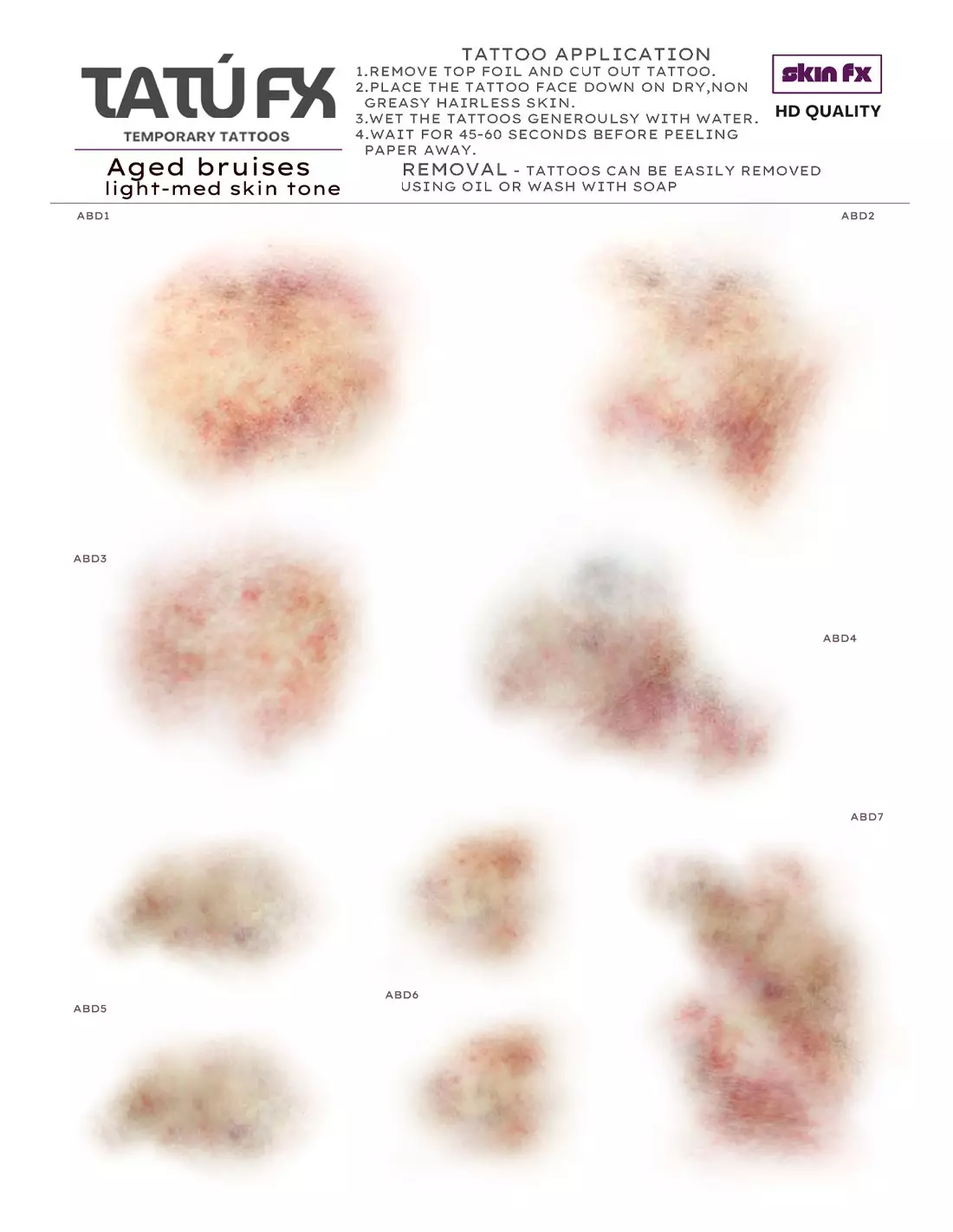
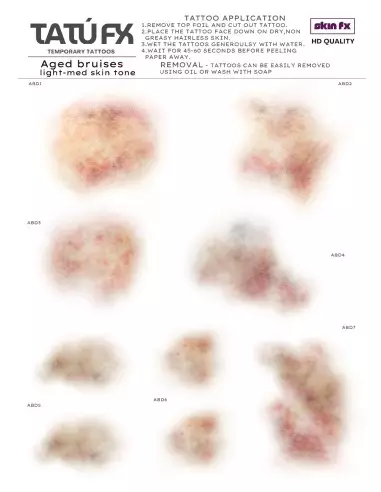
TATÚ FX - Aged Bruises - Light Med Skin
221200200
€15.00
18,15 € Tax incl.
18,15 € Tax incl.
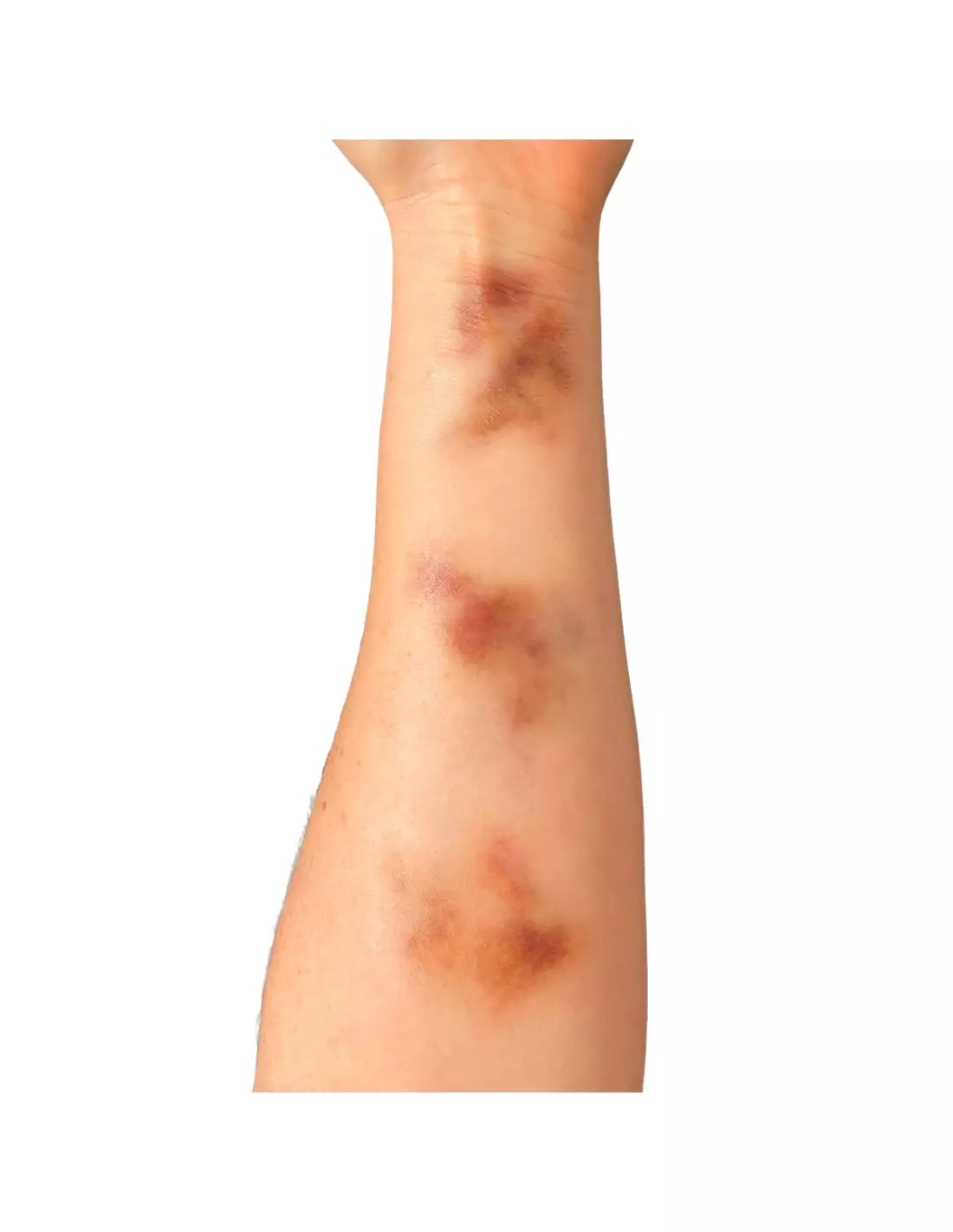
Professional temporary bruise tattoos for light and medium skin tones. A5 sheet with 9 designs at different stages of evolution, camera-ready.
TATÚ FX Aged Bruises for Light/Med Skin tone is an A5 sheet of temporary tattoos designed by a professional makeup artist to reproduce bruises at different stages of evolution with camera-ready realism. With 9 designs in different shapes and sizes, the colour range is specifically calibrated for light and medium skin tones, achieving natural integration without laborious colour corrections.
Technical specifications
| Format | A5 sheet |
|---|---|
| Number of designs | 9 bruises in different shapes and sizes |
| Skin tone | Light and medium skin tones (Light / Med Skin) |
| Effect | Aged bruises at different stages (reddish-purple through to greenish-yellow) |
| Application | Wet transfer (water) |
| Product type | Professional temporary transfer tattoo |
| Intended use | FX, film, theatre, TV, medical training |
What it is used for
This sheet is designed for any professional who needs to simulate bruising quickly and convincingly with a direct camera-ready result. The different stages of colouration — from the acute reddish-purple phase through to the resolution phase with greenish and yellowish tones — allow the passage of time to be represented without resorting to layers of conventional makeup.
- Special effects makeup (SFX/FX) on film, advertising and music video shoots.
- Character design for theatre and live shows where preparation time is limited.
- TV productions, short films and realistic audiovisual content.
- Simulations for healthcare training: first aid, nursing, forensic medicine and emergency response training.
- Editorial or artistic photo shoots with trauma effects.
- Makeup classrooms and SFX courses for quick, repeatable practice.
How to use it
- Remove the top protective film from the A5 sheet.
- Cut out the bruise design you need, trimming the shape if necessary.
- Make sure the skin area is completely clean, dry, hair-free and free of grease or creams.
- Place the tattoo face down on the skin.
- Generously wet the paper with water, covering it evenly.
- Hold constant pressure for 45–60 seconds without moving the paper.
- Carefully remove the paper and allow the transfer to dry for a few seconds.
- If you wish to better blend the edges, you can lightly feather them with a skin colour palette or a complexion palette.
- To remove the tattoo, apply a suitable solvent (isopropyl myristate, adhesive remover or high-concentration isopropyl alcohol) with a sponge or cotton pad and rub gently.
Usage tips
Skin preparation: the step that makes the difference
Skin with traces of makeup, sebum or moisturiser will prevent the transfer from adhering correctly and can cause lifted edges or premature loss of the design. Cleanse the area with micellar water or 70° isopropyl alcohol and allow to dry completely before applying. On sets with long shooting days, apply a light makeup setting spray over the transfer once dry to extend its longevity.
Colour integration with makeup palettes
Although the transfer is calibrated for light and medium skin tones, the edge of the tattoo may appear slightly sharp on certain shades. Blend the perimeter with compatible colours using a Skin Illustrator Flesh Tone Palette or the Skin Illustrator Complexion Palette, applied dry with a latex sponge or flat blending brush. For darker skin tones within the medium range, refer to the Dark Fleshtone Palette.
Combining with PTM for three-dimensional effects
If you need to add volume to the bruise — swollen skin, contusion wound or oedematous area — you can combine the transfer with PTM Light Flesh or PTM Clear applied around the area. PTM allows you to model damaged skin textures over the transfer without interfering with the colour of the already-set design. For creating your own custom transfers at a larger scale, the transfer paper in A4 format is the natural complement.
Frequently asked questions
How long does this type of temporary tattoo last on the skin?
Under normal set conditions — without excessive sweating or direct friction — TATÚ FX Aged Bruises can remain in good condition for between 4 and 8 hours. To extend longevity, apply a makeup setting spray or a very thin layer of sealer once the transfer is completely dry. Avoid contact with creams, oils or sweat before application.
Can the design be cut and trimmed to fit different body areas?
Yes. As it is an A5 sheet with 9 independent designs, you can cut out each bruise individually with scissors or a craft knife. You can also trim parts of a design to adapt the shape to irregular areas such as cheekbones, ribs or joints. The transfer behaves the same regardless of the size of the cutout.
Is it suitable for sensitive skin or use on mucous membranes?
TATÚ FX is designed for application on healthy skin. It is not intended for use on mucous membranes, eyes or skin with wounds, active dermatitis or irritations. On sensitive skin, always carry out a patch test on a discreet area at least 24 hours before the shoot or show.
How is it removed without damaging the skin?
The transfer is easily removed with non-aggressive solvents: isopropyl myristate, high-concentration isopropyl alcohol or a makeup-specific adhesive remover. Apply the product with a sponge or cotton pad, leave for a few seconds and remove gently. Avoid dry rubbing to prevent skin irritation.
Does it work equally well on areas with fine hair?
Hair, even fine hair, makes it difficult for the transfer to adhere and can leave uncovered areas or irregular edges. For a professional result, prior hair removal of the area is recommended or, if not possible, press the paper more firmly and increase the wetting time. On very hairy areas the result will never be as clean as on bare skin.
What is the difference between the different skin tones in the TATÚ FX range?
The TATÚ FX Aged Bruises range is available in different skin tone ranges. The Light/Med Skin version is calibrated for light and medium skin tones, with the reddish, purple, greenish and yellowish tones adjusted to that base. Using the wrong tone for the actor's skin type can make the bruise look unconvincing or require a great deal of correction work afterwards.
Can this transfer be used on silicone or latex prosthetics?
In general, water transfers do not adhere well to cured silicone or dry latex surfaces, as these do not absorb the transfer adhesive in the same way as skin. To integrate bruises on prosthetics, it is more effective to work directly with SFX makeup palettes. The transfer is optimised for direct application on skin.
Can I create more sheets with my own designs?
Yes. If you need custom designs or a larger quantity of sheets, the Neill's transfer paper in A4 format allows you to print your own designs and replicate the water application process. It is the ideal complement for makeup departments with specific production requirements.
No reviews
Tap to zoom