Shopping Cart


3D scanner Revopoint POP 3
220100701
Product available with different options
€560.00
677,60 € Tax incl.
677,60 € Tax incl.
Portable Revopoint POP 3 3D scanner with 0.05 mm accuracy, capture range up to 244x180 mm and 4 IR LEDs for advanced tracking.
The Revopoint POP 3 is a high-precision portable 3D scanner designed for professionals and advanced users who need to capture three-dimensional geometry with real detail. With accuracy up to 0.05 mm and enhanced infrared lighting technology, it is a solid tool for reverse engineering, digital modeling, 3D printing and special effects production.
Technical specifications
| Parameter | Value |
|---|---|
| Accuracy | 0.05 mm |
| Minimum capture range | 61 x 68 mm |
| Maximum capture range | 244 x 180 mm |
| Tracking system | 4 infrared LEDs |
| Scanner type | Portable, mobile device compatible |
| Lighting technology | Infrared (IR) |
What it is used for
The Revopoint POP 3 is designed for any workflow that requires digitising physical objects with dimensional fidelity. Its combination of portability and precision makes it especially useful in workshop, studio or outdoor location environments.
- Reverse engineering of mechanical parts and industrial components
- Creation of digital models for 3D printing
- Digitising sculptures, models and prototypes for special effects
- Prosthetics development and applications in the healthcare sector
- Asset production for virtual reality (VR) and augmented reality (AR)
- Documentation and archiving of unique pieces or heritage items
- Character and creature modelling for film and television
How to use it
- Install the Revopoint RANGE software or compatible mobile app on your device and update the scanner firmware if necessary.
- Place the object on the turntable or in the workspace; for objects with uniform or low-texture surfaces, apply reference markers or matte scanning spray to improve tracking.
- Connect the POP 3 to your computer or mobile device via USB or Wi-Fi depending on your chosen working mode.
- Select the appropriate scanning mode (object, body, face) and adjust the distance to the object according to the recommended capture range.
- Start the scan and move the scanner smoothly, keeping the framing guide green to ensure continuous capture.
- Once the pass is complete, run the point fusion in the software to generate the point cloud or polygonal mesh.
- Export the model in the required format (STL, OBJ, PLY, etc.) for use in your design, printing or special effects workflow.
Usage tips
Preparing the object surface
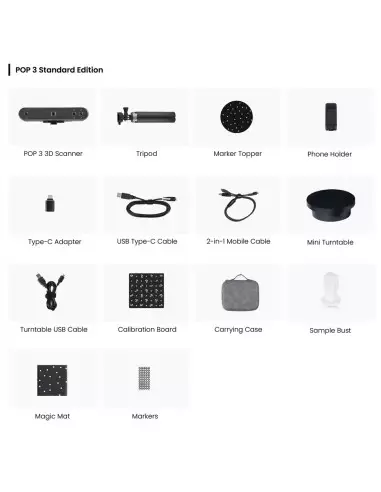
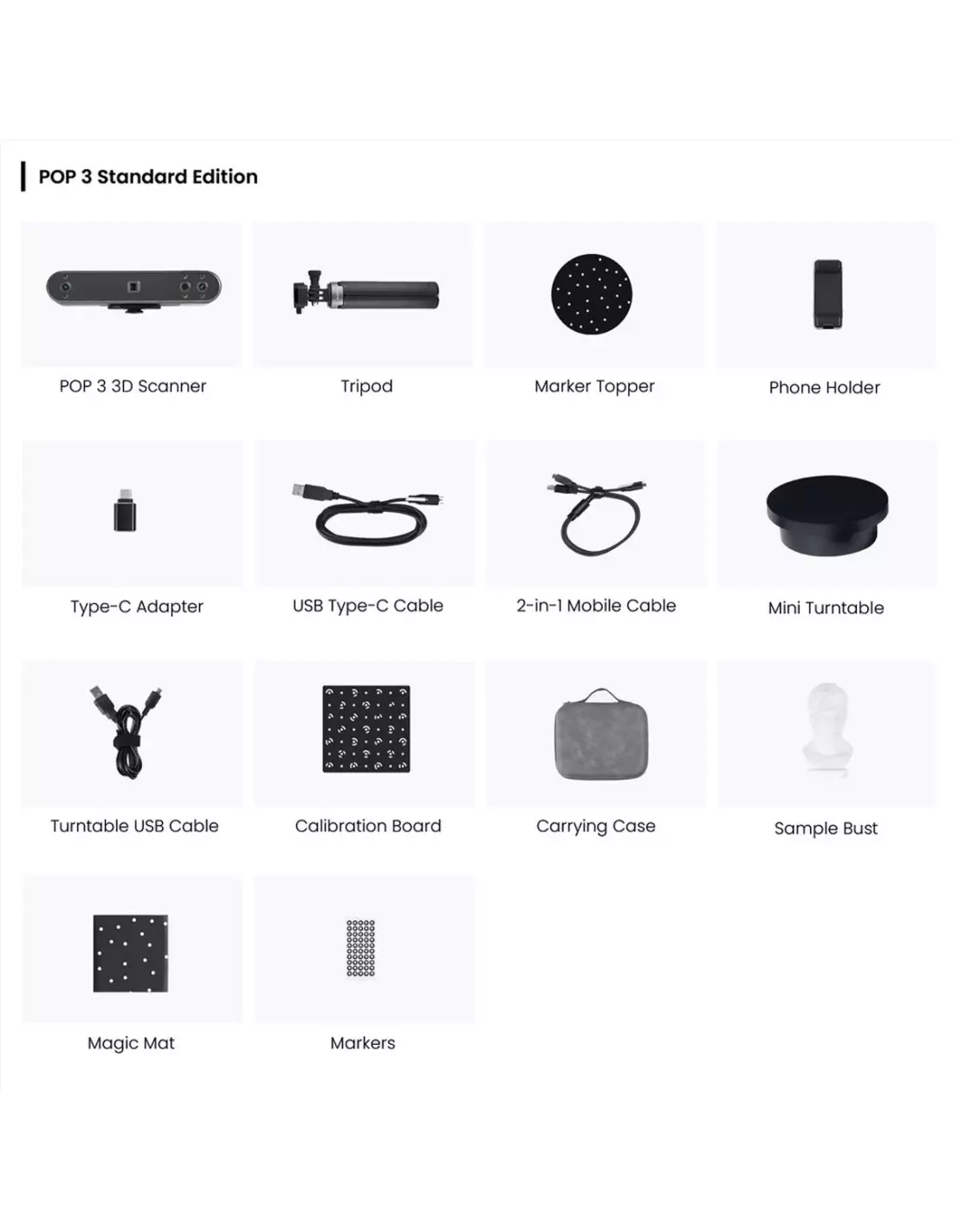
Highly glossy, transparent or deep black surfaces absorb or reflect infrared light irregularly and make tracking difficult. Apply a thin coat of temporary matte spray or fine talcum powder to these surfaces before scanning. For small parts with little differential geometry, use the included reference markers so that the 4 IR LED system maintains tracking without losing position.
Controlling the scanning environment
Direct sunlight and intense infrared light sources (such as certain tungsten spotlights) can interfere with the IR sensors. Always work indoors with diffuse lighting or, if scanning outdoors, look for shaded areas. Maintain a stable ambient temperature: sudden temperature changes can affect sensor calibration during long sessions.
Workflow optimisation for SFX and modelling
In special effects production, the POP 3 is especially useful for digitising actors' heads, hands and torsos as a base for prosthetics design. Always export in high-resolution OBJ or STL and review the mesh in your digital sculpting software before printing or milling. If you plan to use the scanned model as the basis for a mould, make sure to repair any holes or mesh artefacts before the manufacturing process.
Frequently asked questions
What is the minimum and maximum object size I can scan?
The Revopoint POP 3 is optimised for objects whose capture field ranges from 61 x 68 mm to 244 x 180 mm per pass. For large objects, such as a full torso, the software automatically stitches together multiple passes. For very small objects, below the lower limit, the accuracy may not be sufficient and a higher micro-resolution scanner would be more appropriate.
Can I use it without a computer, just with a mobile phone?
Yes. The POP 3 is compatible with mobile devices via the official app, allowing you to scan on location without needing to carry a laptop. The phone's processing power affects real-time fluidity, although the final mesh fusion can also be performed on a computer if you prefer greater control.
What export formats does it support?
Revopoint's software allows export in the most common industry formats: STL, OBJ and PLY. These formats are compatible with the main digital sculpting, CAD design and 3D printing software on the market.
Does it work well with dark or glossy surfaces?
Black, highly glossy or transparent surfaces are the most problematic for any structured light or infrared scanner. In these cases it is recommended to apply a matte scanning spray or fine talcum powder to the part to improve the IR signal return. With that basic preparation, the POP 3 delivers very consistent results.
Is it useful for digitising people or body parts?
Yes, and it is one of its most valued applications in special effects production and healthcare. The 4 infrared LED system improves tracking on surfaces with little differential texture, such as skin, as long as the subject remains reasonably still during scanning. For full faces or limbs it can be combined with a turntable or multiple manual passes can be performed.
What is the difference between this model and the Revopoint Miraco?
The Revopoint Miraco is the top-of-the-range model in the family, with higher resolution, extended range and additional capabilities for more technically demanding projects. The POP 3 is the balanced option between portability, price and performance for the majority of professional workflows in the workshop or on location.
Do I need physical markers to scan?
Not always. The POP 3 can work in geometric feature tracking mode. However, for smooth, uniform or low differential geometry surfaces, the use of adhesive reference markers noticeably improves tracking stability and reduces alignment errors between passes.
Can I use the scanner to make moulds from the obtained models?
Yes, that is precisely one of the most common uses in special effects workshops and manufacturing. The exported 3D model can be used as a base to print or mill the positive part on which the mould is then made with silicone or resin. It is essential to review and repair the mesh before the manufacturing process to avoid imperfections in the final mould.
No reviews
Tap to zoom