Shopping Cart



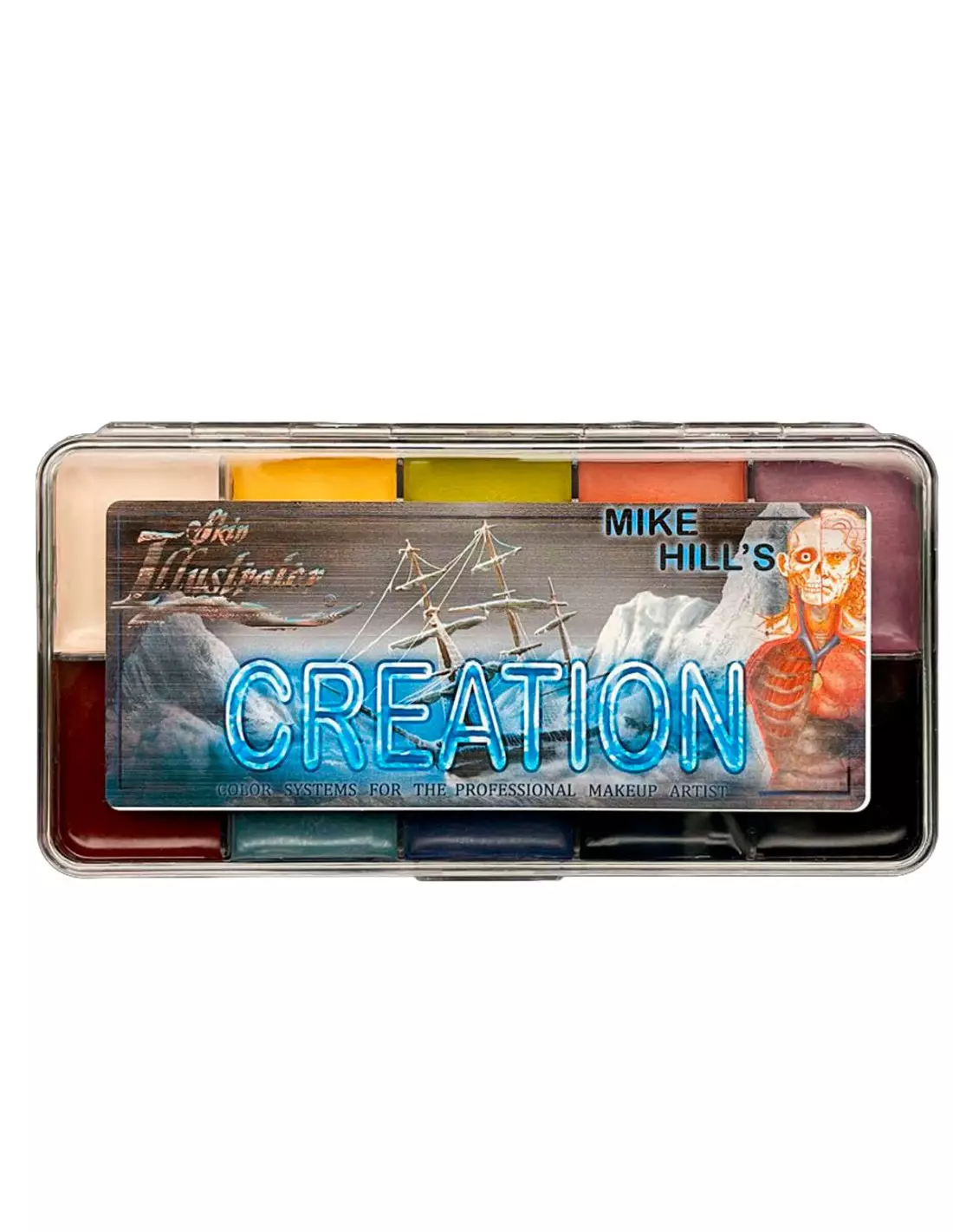
Skin Illustrator Mike Hill's Creation Palette
270015023
€95.00
114,95 € Tax incl.
114,95 € Tax incl.
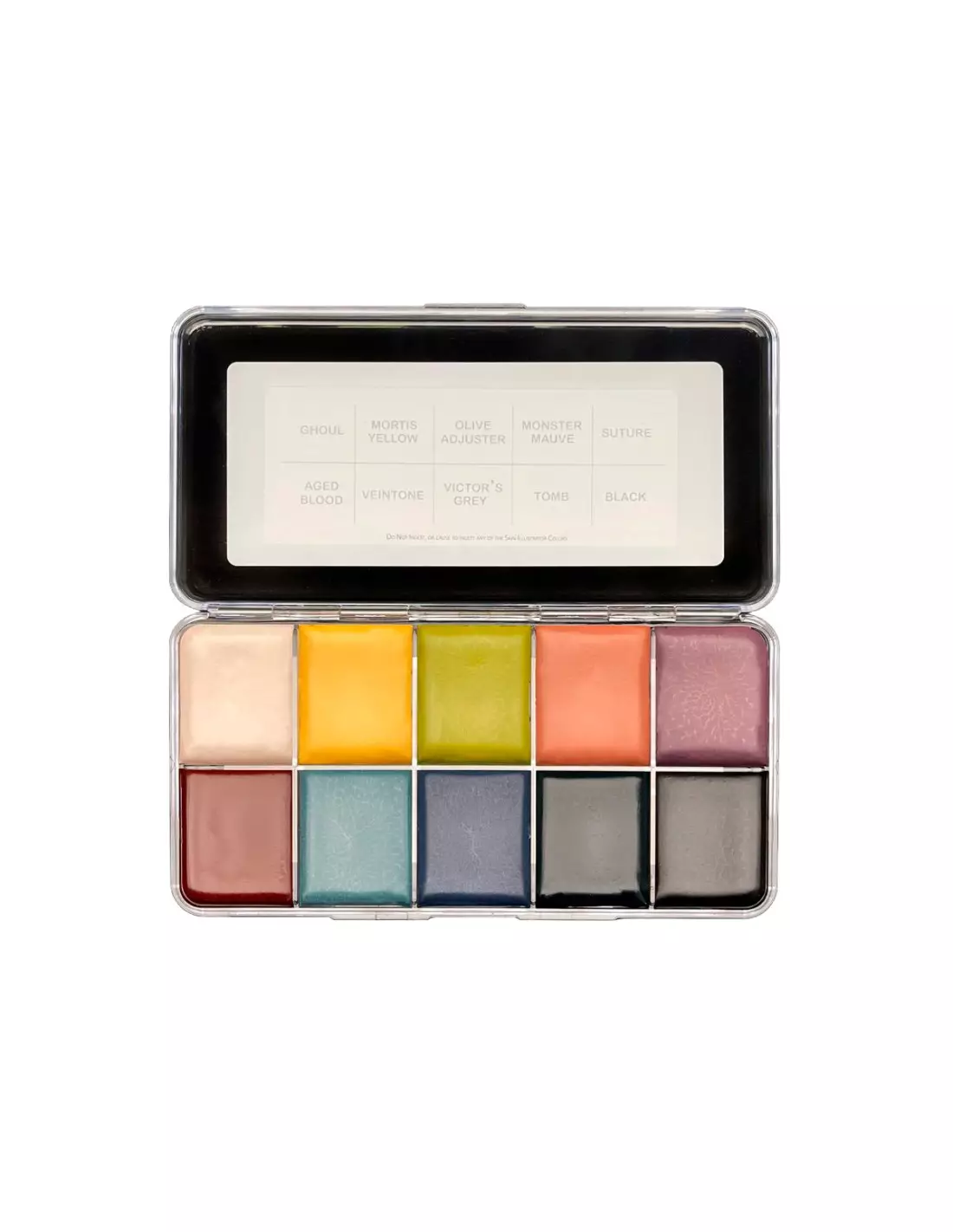
Skin Illustrator palette by Mike Hill with 6 exclusive colors (Ghoul, Monster Mauve, Mortis Yellow, Suture, Tomb, Victor's Grey) for cinematic FX makeup.
The Skin Illustrator Palette Mike Hill's Creation is an exclusive collection of 6 colors developed in collaboration with Mike Hill, head of the prosthetic makeup effects department on Guillermo del Toro's Frankenstein. Each shade is designed to work on prosthetics and skin with the precision and character demanded by cinematic FX makeup: depth, volume and natural transitions that hold up under camera.
Technical specifications
| Feature | Detail |
|---|---|
| Brand | Skin Illustrator |
| Collection | Mike Hill's Creation |
| Number of colors | 6 |
| Included shades | Ghoul, Monster Mauve, Mortis Yellow, Suture, Tomb, Victor's Grey |
| Product type | FX makeup / prosthetics coloring palette |
| Activation | With isopropyl alcohol or Skin Illustrator activator |
| Application | Skin, silicone prosthetics, foam latex, gelatine |
| Finish | Cinematic, without excessive shine |
| Recommended use | FX makeup, character design, artistic bodypainting |
What it's used for
This palette is designed for special effects professionals who need to build character-driven looks with prosthetics or directly on skin. The six shades cover the full range of a classic horror or fantasy character: from cadaverous greys to deathly yellows and deep mauves that suggest bruising, gradients and areas of subcutaneous tension.
- Coloring and integration of silicone and foam latex prosthetics in film and television productions
- Character design for horror characters, monsters and fantasy creatures
- Creating bruise, suture, necrosis and deteriorated skin effects
- Artistic bodypainting with dark or fantastical themes
- FX makeup in theatre, professional Halloween events and conventions
- Character testing and development in production makeup departments
How to use it
- Prepare the surface: make sure the prosthetic or skin is clean, dry and free of grease or uncured sealer.
- Activate the color: dampen the brush with high-purity isopropyl alcohol (99%) or with the specific Skin Illustrator activator. The amount of alcohol determines the transparency and fluidity of the color.
- Pick up the color with the dampened brush, loading gently to avoid dragging the shade from the pan.
- Apply in thin, transparent layers, building up intensity progressively. Start with the lighter base shades (Victor's Grey, Mortis Yellow) before adding the darker tones (Ghoul, Tomb).
- Use Monster Mauve and Suture to define wound areas, seams or color transitions at the edges of the prosthetic.
- Allow brief drying between layers; drying is fast thanks to alcohol evaporation.
- Set the finish with a sealer or fixing spray compatible with the substrate used if the production requires it.
Tips and tricks
Transparency and saturation control
The alcohol-to-pigment ratio is key. With a very wet brush you get almost imperceptible glazes, ideal for blending the prosthetic with the adjacent skin. With less alcohol and more pigment you achieve localized color hits for details like veins, sutures or bruised areas. Always test the mix on a piece of silicone or foam before applying to the final character.
Layer order for a convincing result
Work from general to specific: first the flat base tones to unify the surface, then the color transitions, and finally the texture and depth details. The Ghoul shade works very well as a general shadow over greys, while Mortis Yellow provides the organic pallor characteristic of sick or dead skin. Suture and Monster Mauve are ideal for fine detail work on edges and scars.
Palette cleaning and preservation
Use clean brushes every time you switch colors to avoid contaminating the pans. If a shade dries out excessively in the pan, a drop of isopropyl alcohol will rehydrate it without affecting its formulation. Store the palette closed, away from direct heat and prolonged sunlight to preserve pigment stability.
Frequently asked questions
Do these colors work on intrinsically painted silicone prosthetics?
Yes. The Mike Hill's Creation palette is formulated precisely to work on cured silicone surfaces. You can use it both as an extrinsic layer over already-painted prosthetics to add nuances and final details, and on prosthetics without intrinsic paint that require all the coloring to be applied externally.
What liquid do I activate these colors with?
The standard activator is 99% isopropyl alcohol. You can also use the specific Skin Illustrator range activator if you want a slightly creamier consistency or slightly more controlled drying. Avoid low-purity alcohol (70%) as the residual water can affect adhesion and finish.
Are they safe to apply directly on skin?
Yes, the Skin Illustrator range is formulated for cosmetic use on skin. However, as with any FX makeup product, it is advisable to perform a patch test on a small area before extensive application, especially on people with sensitive skin or a history of reactions to alcohol-based makeups.
How many layers do I need to cover a translucent silicone prosthetic?
It depends on the opacity of the base silicone and the desired effect. Generally, between 3 and 6 thin layers give a solid, well-integrated result. The secret is to allow brief drying between each layer and build up color progressively rather than trying to saturate it all at once with a single heavy pass.
Can I mix these shades with each other?
Yes. You can mix directly on the brush by loading one shade first and then the other, or prepare the mix on an auxiliary work palette. The 6 colors in this collection are designed to be complementary, so mixes between them are coherent and do not produce muddy results.
Can these palettes be used with other Skin Illustrator palettes?
Absolutely. The entire Skin Illustrator range shares the same formulation base, so the Mike Hill's Creation palette is fully compatible with the Flesh Tone Palette, the FX Palette and the Complexion Palette. Combining them gives you a very extensive color library for any type of character.
How do I remove these colors from the prosthetic if I need to correct?
With 99% isopropyl alcohol and a brush or cotton pad you can lift recent layers without too much effort. On silicone prosthetics, alcohol-activated color does not penetrate deeply, which makes correction easier. On skin, standard makeup removal with oil-based or alcohol-based products is sufficient.
What is the difference between this palette and other Skin Illustrator palettes?
The color selection. The Mike Hill's Creation palette is designed with a specific range oriented towards horror and fantasy characters with a cinematic aesthetic: cadaverous greys, deathly yellows, dark mauves and suture tones. Other palettes such as the Flesh Tone Palette or the Complexion Palette cover more natural skin tone ranges, designed for color correction and realistic human character design.
No reviews
Tap to zoom