Shopping Cart



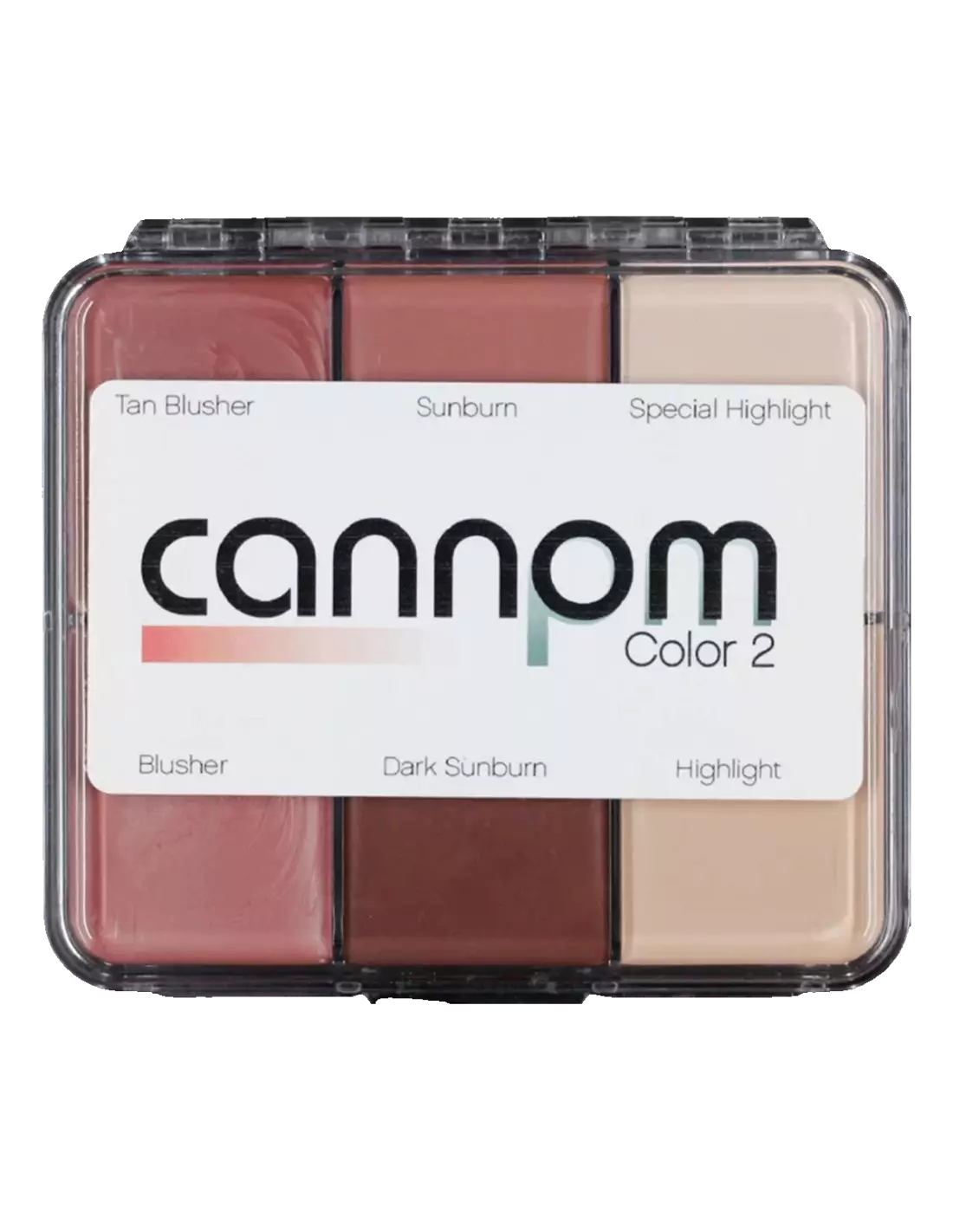
Skin Illustrator On Set Greg Cannom - Color 2
270030070
€59.00
71,39 € Tax incl.
71,39 € Tax incl.
Skin Illustrator On Set Greg Cannom Color 2 oil-based makeup palette. 6 colours for skin, silicone and latex.
The Skin Illustrator On Set Greg Cannom Color 2 palette is a collection of six professional-grade oil-based colours, formulated on the basis of William Tuttle's original creams and waxes and personally selected by four-time Oscar winner Greg Cannom. Suitable for direct application on skin, silicone prosthetics and latex, it is an essential reference in any makeup kit for special effects and film character work.
Technical specifications
| Product type | Oil-based makeup palette (cream/wax base) |
|---|---|
| Number of colours | 6 |
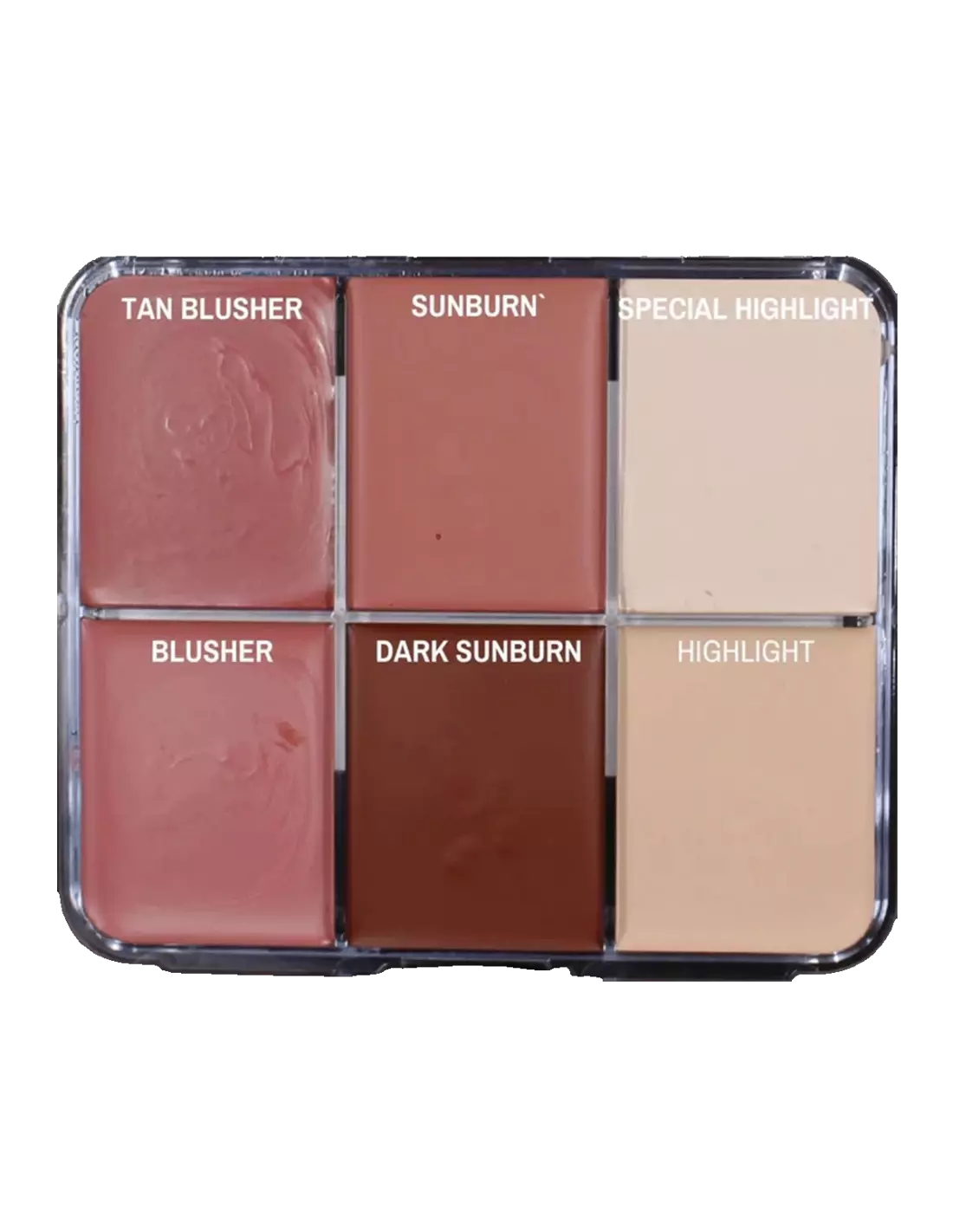
| Colours included | Tan Blusher, Sunburn, Special Highlight, Blusher, Dark Sunburn, Highlight |
| Compatible surfaces | Skin, silicone, latex |
| Line | On Set Signature — Greg Cannom collection (PM Colors) |
| Application | Brush, sponge, mascara applicator |
| Recommended setting | HD Matting Spray (sold separately) |
What it is used for
This palette is designed for makeup artists and special effects artists working on film, television and theatre productions. The six shades cover the needs of skin tone colouring, flushing, sunburn effects and facial highlighting, both on natural skin and on prosthetics.
- Base colouring and toning of skin tones in character work
- Simulating sunburn, blushes and reddened areas
- Highlighting and enhancing facial volumes (highlight)
- Painting on silicone prosthetics to blend the piece with the actor's skin
- Colouring on latex masks and character applications
- Mixing with other Skin Illustrator Flesh Tone or Complexion palettes to expand the colour range
- Touch-ups and colour adjustments during continuous shooting (On Set collection)
How to use it
- Prepare the surface: clean and dry the skin or prosthetic. On silicone, make sure there are no release agent residues that could interfere with colour adhesion.
- Load the brush or sponge with a small amount of colour. Oil-based colours are highly pigmented, so it is best to start with a small amount of product.
- Apply the colour using gentle circular motions or in thin, overlapping layers to achieve the desired coverage.
- Mix the different shades (Tan Blusher, Sunburn, Highlight, etc.) directly on the skin or on the palette to obtain the exact tone the character requires.
- When working on silicone prosthetics, apply the colour in very thin layers and allow each layer to set before adding the next to avoid build-up.
- Set the result with an HD Matting Spray to prevent transfer and extend the durability of the makeup throughout the shoot.
- To remove, use a cleansing oil or a dedicated oil-based makeup remover.
Usage tips
Mixing and expanding the colour range
The six shades in this palette are designed to be used in combination. Mixing Sunburn with Tan Blusher allows for natural transitions in sun-exposed areas. For darker skin tones or higher-contrast character work, combine it with the Skin Illustrator Dark Fleshtone Palette. If you need more dramatic effects (wounds, bruises, special effects), complement with the Skin Illustrator FX Palette.
Application on silicone and latex
On silicone prosthetics, always work in very thin layers and allow each layer to settle before adding the next. Oil-based colour penetrates the porous surface of latex well, but on silicone it is advisable to test first in a non-visible area to verify adhesion. If the piece is going to be subjected to intense movement, set with HD Matting Spray or a compatible sealer.
Storage and cleaning
Close the palette firmly after each use to prevent the colours from drying out or cross-contaminating. Clean brushes and sponges with a dedicated oil-based makeup cleaner. Store the palette in a cool place away from direct heat sources, as high temperatures can alter the texture of the colours.
Frequently asked questions
Can this palette be used directly on skin without prior preparation?
Yes, the oil-based colours in this palette are suitable for direct application on skin. To improve durability and prevent transfer, it is recommended to clean and degrease the area before applying and to set the result with an HD Matting Spray once the makeup is complete.
Is it compatible with all types of prosthetics?
The Cannom Color 2 palette is formulated to work on skin, silicone and latex, which are the most common substrates in special effects. For latex foams and gelatines, performance is equally good when applied in thin layers.
How do you set oil-based makeup so it does not transfer during shooting?
The recommended method is to apply an HD Matting Spray once the character makeup is complete. This type of setting spray seals the oil-based colour layer without altering the tones or adding unwanted shine, keeping the makeup in place for hours.
Can these colours be mixed with other palettes in the same line?
Yes. All colours in the Skin Illustrator PM Colors range are compatible with each other and can be freely mixed to expand the colour palette. The Flesh Tone Palette and the Complexion Palette are natural complements to this collection.
How do you remove oil-based makeup at the end of the day?
Oil-based colours are removed with cleansing oils, petroleum jelly or dedicated oil-based makeup removers. Apply the remover to the area and massage gently before wiping away with a cloth or cotton pad. Avoid water-based makeup removers, which are not effective with oil-based formulations.
What is the difference between an oil-based makeup palette and a water-activated one?
Oil-based makeups offer greater coverage and adhesion on non-porous surfaces such as silicone, as well as a creamier texture that makes blending easier. Water-activated bases dry faster and are more comfortable on skin in long applications, but do not adhere as well to prosthetics. For special effects work on silicone and latex, oil-based makeup is the standard professional choice.
Do the colours need to be warmed up before application?
It is not necessary, although in very cold environments the texture may be somewhat firmer than usual. In that case, simply rub the brush or sponge gently over the colour to soften it with the heat of friction, or warm the palette slightly in your hands before use.
How many colours does the palette include and what are they?
The Cannom Color 2 palette includes six colours: Tan Blusher, Sunburn, Special Highlight, Blusher, Dark Sunburn and Highlight. These are the shades personally selected by Greg Cannom for his most acclaimed film work and cover the basic needs of skin tone, flushing and highlighting.
No reviews
Tap to zoom