Shopping Cart


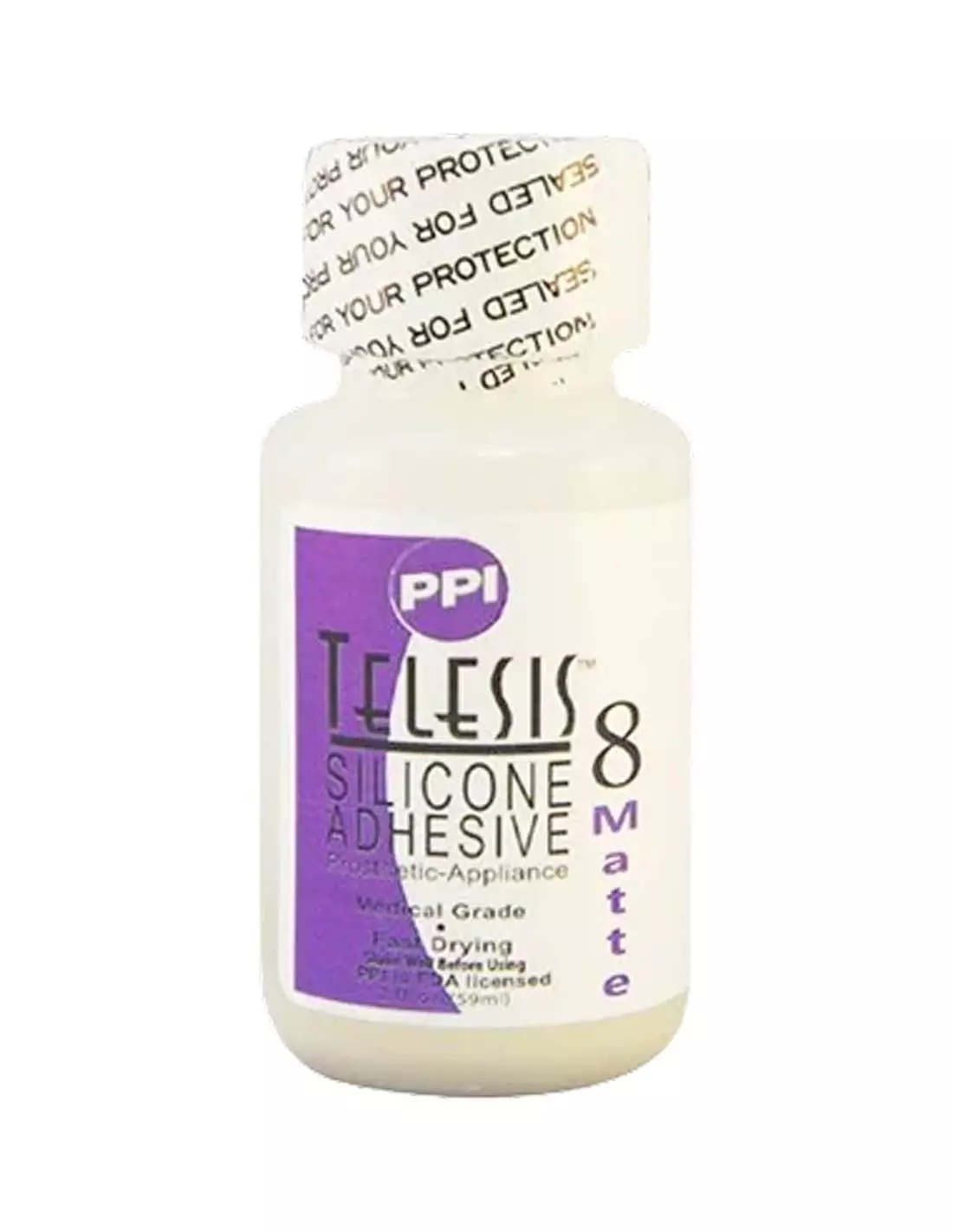
Telesis 8 Adhesive - MATTE 30ml - 1oz
271000501
€44.00
53,24 € Tax incl.
53,24 € Tax incl.
Professional prosthetic adhesive with permanent matte finish. Flexible, non-flammable and non-toxic. Requires Telesis 8 Thinner. 30 ml.
Telesis 8 Matte is the go-to matte-finish prosthetic silicone adhesive for special effects and professional hair goods work. Its formula with matting agents integrated during manufacturing guarantees a fluid, flexible consistency and a finish that does not shine, does not crack, and does not harden over time. It is non-flammable and non-toxic, making it a safer alternative to alcohol-based rubber adhesives.
Technical specifications
| Feature | Value |
|---|---|
| Format | 30 ml / 1 oz |
| Finish | Permanent matte |
| Base | Silicone |
| Flammable | No |
| Toxic | No |
| Flexibility | High — adapts to facial movement |
| Recommended thinner | Telesis 8 Thinner |
| Shake before use | Yes, vigorously |
| Recommended use | Professional use on set and backstage |
What it is used for
Telesis 8 Matte is designed for the application of prosthetics and hair goods directly onto skin, with a seamless, reflection-free final result that does not give away the piece. It is the reference adhesive in film, television and theatre productions:
- Bonding silicone and foam latex prosthetics to skin
- Securing wigs, moustaches, beards and hair pieces
- Applying hair goods pieces in high-mobility areas (cheeks, forehead, chin)
- Applications where a matte finish is essential for camera
- Character work where other shiny adhesives are unsuitable
- Complement in FX workflows alongside encapsulants and water- or alcohol-based pigments
How to use it
- Shake the container vigorously before opening. Matting agents tend to settle, and thorough shaking ensures a homogeneous mixture.
- Prepare the skin of the performer: clean and degrease the bonding area. Oily skin significantly reduces adhesion.
- Adjust the viscosity if necessary with Telesis 8 Thinner. This adhesive is thick by design and should not be thinned with generic solvents.
- Apply a thin layer of Telesis 8 Matte to the skin area and/or the edge of the prosthetic with a brush or applicator.
- Allow to activate until the adhesive is slightly tack (sticky to the touch but not wet).
- Place the prosthetic with precision and press gently to ensure complete contact.
- Seal and finish with your usual pigmentation workflow. You can colour over the piece with makeup palettes such as Skin Illustrator Flesh Tone or Skin Illustrator Complexion.
- To remove, use Telesis Thinner or the solvent recommended by the manufacturer — never pull abruptly.
Usage tips
Always shake — no exceptions
The matting agents in Telesis 8 Matte are suspended particles that settle with rest. If you apply the adhesive without shaking first, the result will be shiny or uneven. Shake vigorously for at least 20–30 seconds before each use, even if the bottle was opened recently.
Telesis 8 Thinner is mandatory, not optional
The high viscosity of Telesis 8 Matte is not a manufacturing defect: it is a technical characteristic that improves adhesion. To work with it on fine edges or delicate applications, thin it exclusively with Telesis 8 Thinner. Using incompatible solvents can alter the matte finish or compromise adhesion.
Set conditions and storage
Heat and humidity affect activation time. On set with studio lights or high temperatures, the adhesive activates faster. Keep the container closed and away from heat sources. Once opened, check the opening date noted on the container and use it within a reasonable timeframe to preserve its original properties.
Frequently asked questions
What is the difference between a matte and a standard prosthetic adhesive?
A shiny-finish adhesive can reveal the edges of a prosthetic on camera or under set lighting. Telesis 8 Matte integrates matting agents into its formulation so that when dry it produces no reflections, and the transition between skin and prosthetic looks far more natural. The standard Telesis 8 (standard version here) offers the same adhesion but with a different finish.
Is it safe for direct use on skin?
Yes. Telesis 8 Matte is formulated specifically for prosthetic use on human skin. It is non-flammable and non-toxic, making it safer on set than other alcohol-based rubber adhesives. As with any skin-contact product, a sensitivity patch test is recommended for reactive skin types.
Can I use a thinner other than the recommended one?
It is not recommended. Telesis 8 Matte is designed to be used with Telesis 8 Thinner. Using incompatible solvents can alter the adhesion properties, modify the matte finish, or affect the safety of the product on skin.
Does it work with both foam latex and silicone prosthetics?
Yes, Telesis 8 Matte is suitable for bonding both foam latex prosthetics and silicone pieces to skin. It is the standard adhesive in professional FX workflows that combine both materials.
How do I remove the prosthetic without damaging the skin?
It is recommended to use Telesis Thinner or the compatible solvent indicated by the manufacturer, carefully applying it to the edges and allowing it to penetrate before removing the piece. Always avoid abrupt pulling, especially on sensitive skin areas.
What happens if I do not shake the adhesive before use?
The matting agents settle with rest. If you apply Telesis 8 Matte without shaking it, the bottom layer in the bottle will contain most of the matting agents and the top will be shinier. The final result will be uneven and will not meet the described properties.
Can I paint or colour it once the prosthetic is in place?
Yes. Once the prosthetic is secured and the adhesive is dry, you can continue with your usual pigmentation workflow. Alcohol-based FX makeup palettes, such as Skin Illustrator Flesh Tone, Complexion or Dark Fleshtone, are compatible with this type of work.
Do I need other products to make a complete FX prosthetic?
Yes. Telesis 8 Matte is the application adhesive, but a complete FX prosthetic also requires a material to make the piece (platinum silicone or foam latex), an encapsulant if needed, pigments and paints for colouring, and finishing products. If you are starting from scratch, browse the Feroca catalogue to put together your complete kit.
No reviews
Tap to zoom