Shopping Cart


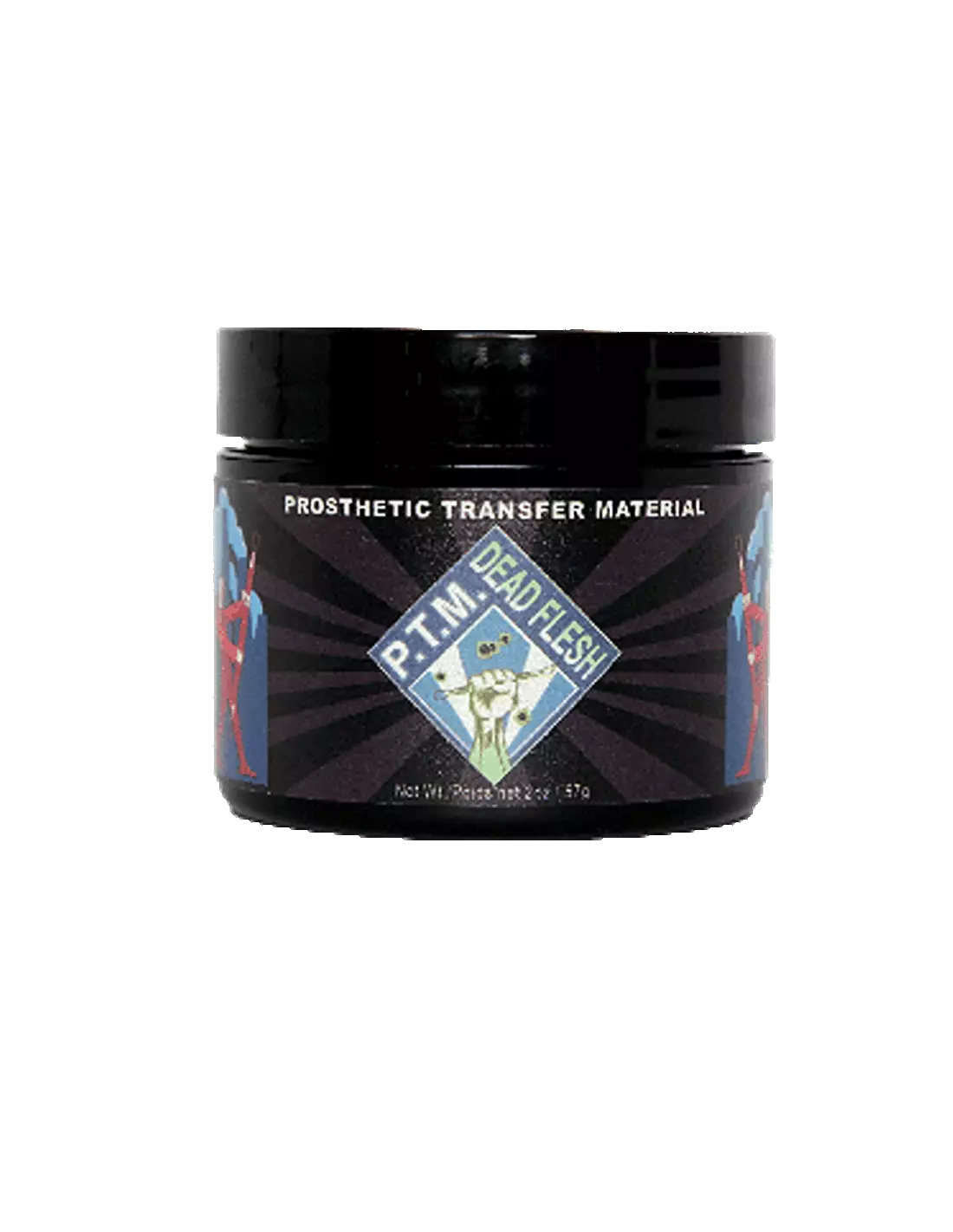
PTM - Dead Flesh
591400600
Temporarily out of stock
€35.00
42,35 € Tax incl.
42,35 € Tax incl.
PTM Dead Flesh, high-quality zombie flesh-tone prosthetic transfer material. Formulated by Christien Tinsley for fast, professional special effects.
PTM Dead Flesh is a ready-to-use prosthetic transfer material, formulated in a dead flesh tone that accurately replicates the appearance of necrotic or decomposing skin. Developed by Christien Tinsley, creator of the original prosthetic transfer process, it allows you to create zombie, cadaver or rotting skin effects immediately, with minimal additional makeup and in a fraction of the time required by conventional makeup.
Technical specifications
| Feature | Detail |
|---|---|
| Product type | Prosthetic Transfer Material (PTM) |
| Colour | Dead Flesh (zombie / dead flesh tone) |
| Compatible transfer types | Bondo Transfers, Pro-Bondo Transfers, Pros-Aide Transfers |
| Formulator | Christien Tinsley |
| Presentation | Available in two sizes |
| Application | SFX makeup, film, television, theatre, professional Halloween |
What it's used for
PTM Dead Flesh is designed for professional SFX makeup artists who need to create high-quality prosthetic transfers quickly and with reproducible results. The Dead Flesh colour eliminates or minimises the need to colour the transfer once applied, saving critical time on shoots or productions with large numbers of performers.
- Creating zombie and cadaver prosthetic transfers without the need to mix base colours
- Fast characterisation of large crowds in horror productions
- Necrotic, burned or decomposing skin effects for film and television
- Theatre applications requiring reduced preparation time
- Professional Halloween events and shows with high character turnover
- Makeup prototypes and tests prior to the final shoot
- Complement or base for transfers made with A4 transfer paper
How to use it
- Prepare the performer's skin: clean, grease-free and completely dry.
- Apply PTM Dead Flesh directly from the jar onto a non-stick surface or onto PTM transfer paper to create the prosthetic sheet in the desired shape.
- Allow to dry until the material loses its translucent appearance and forms a uniform film. Drying time varies depending on layer thickness and environmental conditions.
- Carefully peel the sheet away from the working surface.
- Apply the transfer to the performer's skin using the appropriate adhesive (Pros-Aide or another dermal-grade prosthetic adhesive).
- Blend the edges with your fingers or a spatula to integrate the transfer with the surrounding skin.
- Touch up with SFX makeup paints if necessary, although the Dead Flesh colour is pre-formulated to minimise this step.
- Set with a translucent spray or powder to increase durability during the shoot.
Usage tips
Layers and thickness
For more durable transfers with greater relief, apply multiple layers allowing each one to dry completely before applying the next. Two or three thin layers give better results than a single thick layer, which takes longer to dry and may crack when peeled. If you want to combine texture effects, you can alternate a layer of PTM Clear between layers of Dead Flesh to adjust the opacity of the final result.
Edge blending and realism
The critical point of any transfer is the edge. Work the edges of the transfer while the adhesive still has some tack, using clean fingers or a silicone spatula. Apply a minimal amount of heat (hairdryer on low power and at a distance) to slightly soften the material and aid integration. A lighter edge tone, such as PTM Light Flesh, can help visually fade the transition on fairer skin tones.
Storage and preservation
Close the jar tightly after each use and store in a cool, dry place away from direct sunlight. If the material starts to thicken, do not add solvents: excessive viscosity generally indicates that the product is nearing the end of its useful life or has absorbed moisture. Always work with clean spatulas to avoid contaminating the jar.
Frequently asked questions
Can I use this material directly on skin without adhesive?
No. PTM Dead Flesh is used to manufacture the transfer sheet, not as a dermal adhesive. To fix the transfer to the skin you need a medical- or dermal-grade prosthetic adhesive. Apply the adhesive to the skin, wait for the tack point and place the transfer on top.
How long does each layer take to dry?
Drying time depends on layer thickness and ambient temperature and humidity. Under normal workshop conditions (20–25 °C, moderate humidity), a thin layer can be ready in 10–20 minutes. You can speed up the process with a warm-air hairdryer, but avoid excessive heat, which can distort the sheet.
Can you paint over the transfer once it has been applied?
Yes. Although the Dead Flesh colour is designed to minimise subsequent paint work, you can apply alcohol-based paints or specific SFX paints to add details, shadows or blood and decay effects. Avoid water-based paints in large quantities, as they can affect the adhesion of the transfer.
How many applications can be obtained from one jar?
The number of applications depends on the size of the jar chosen and the thickness of the transfers you make. With the larger size and thin layers you can obtain a significant number of pieces. For productions with many performers, the large size is recommended to reduce cost per unit.
Is it compatible with all types of prosthetic adhesives?
PTM Dead Flesh is compatible with the most common transfer systems: Bondo Transfers, Pro-Bondo Transfers and Pros-Aide Transfers. Always check the data sheet for the adhesive you intend to use and carry out a test on a small area before the final production.
Can it be combined with other PTM colours?
Yes. You can mix PTM Dead Flesh with PTM Clear to reduce colour saturation, or use it in layers alongside PTM Light Flesh to create chromatic transitions within the same transfer and achieve more natural or complex effects.
Is it suitable for sensitive or allergy-prone skin?
PTM Dead Flesh does not come into direct contact with the skin during normal use, as it is applied as a sheet fixed with adhesive. However, if the performer has a history of sensitivity to prosthetic adhesives or acrylic materials, always carry out a patch test 24–48 hours before use. If in doubt, consult a dermatologist.
How is the transfer removed at the end of the day?
The removal method depends on the adhesive used to fix the transfer. In general, apply a prosthetic adhesive remover specific to the type of glue used, allow it to work for a few seconds and peel away gently from the edges towards the centre. Do not pull the transfer off dry to avoid irritating the performer's skin.
No reviews
Tap to zoom