Shopping Cart



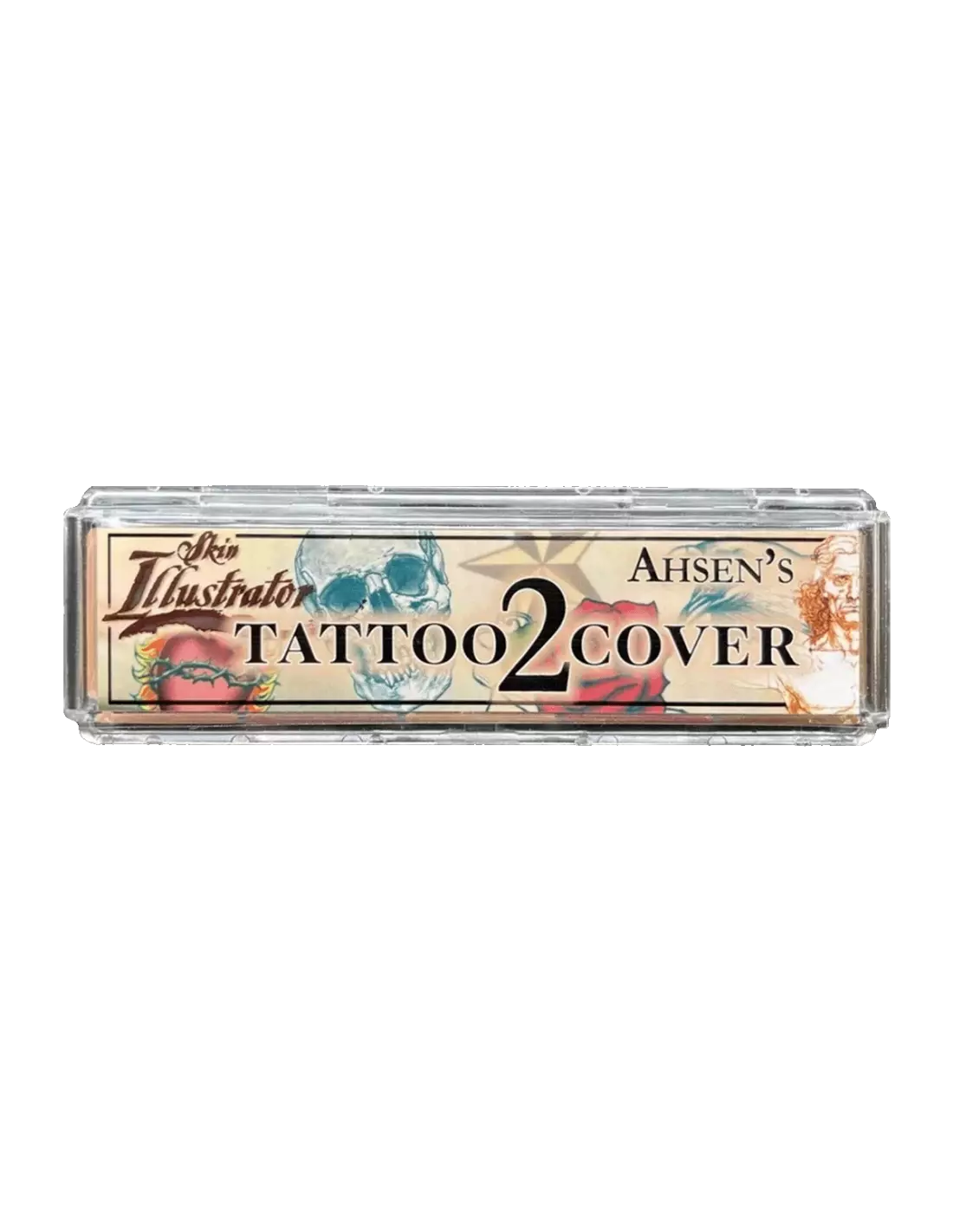
Skin Illustrator Mini Ashen's Tattoo Cover 2
270027007
€59.00
71,39 € Tax incl.
71,39 € Tax incl.
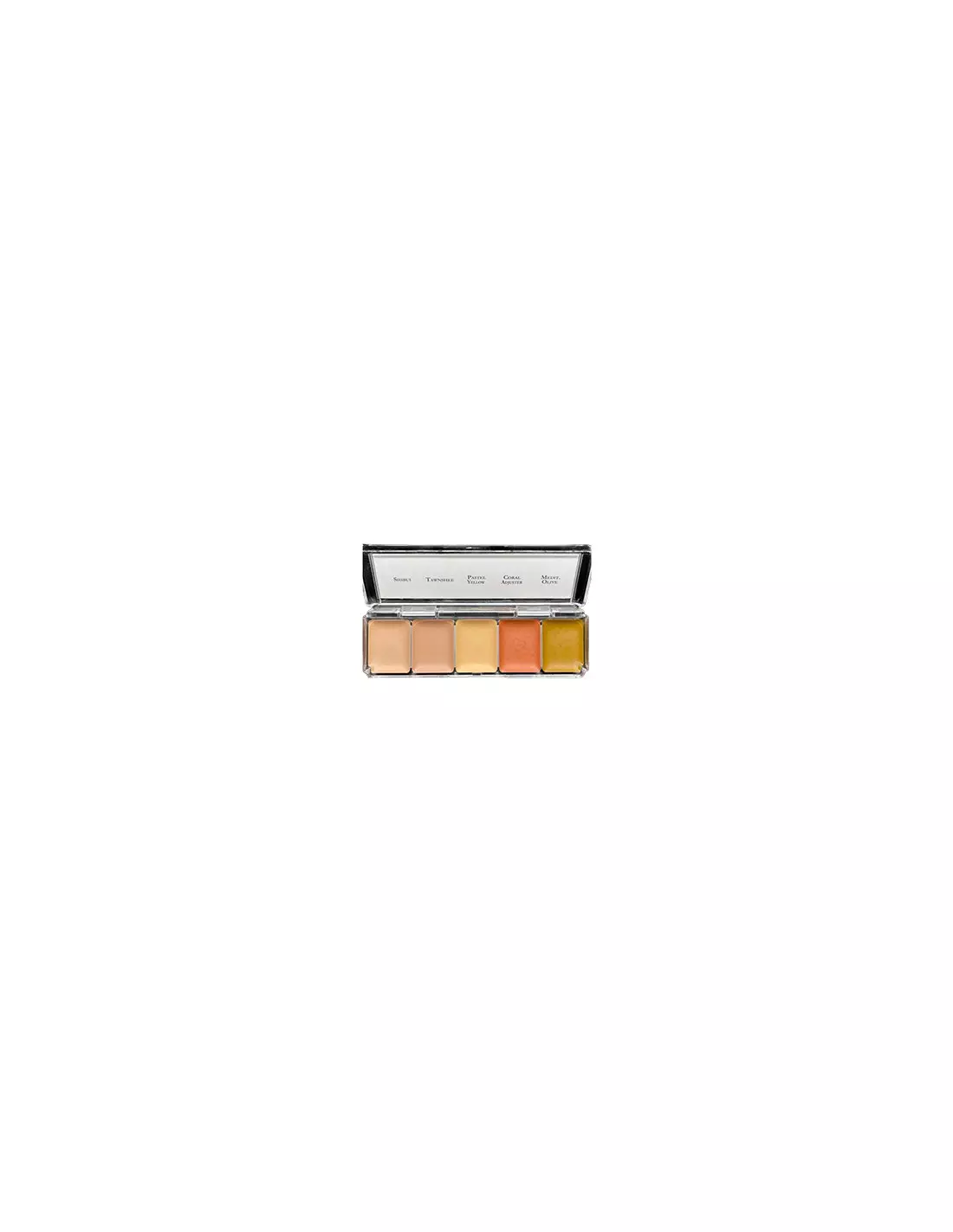
Alcohol-activated makeup palette for tattoo coverage. 5 skin tones: Shibui, Tawnshee, Pastel Yellow, Coral Adjuster and Mediterranean Olive.
The Skin Illustrator Mini Ashen's Tattoo Cover 2 is an alcohol-activated makeup palette designed specifically to cover tattoos with professional results. Its five skin tones —Shibui, Tawnshee, Pastel Yellow, Coral Adjuster and Mediterranean Olive— offer dense coverage and exceptional durability on skin, silicone and latex. An essential tool for both FX makeup professionals and students looking to master colour correction.
Technical specifications
| Format | Mini palette |
|---|---|
| Makeup type | Alcohol-activated |
| Number of colours | 5 |
| Colours included | Shibui, Tawnshee, Pastel Yellow, Coral Adjuster, Mediterranean Olive |
| Use | Tattoo coverage, colour correction on skin, silicone and latex |
| Activator | 99% isopropyl alcohol (IPA) or Skin Illustrator specific activator |
| Removal | Super Solv type solvent or similar |
What it is used for
This palette is designed for situations where tattoos need to be neutralised and concealed quickly and durably, whether on set, at events or during character makeup jobs. The five tones allow you to mix and match the exact colour for each skin tone.
- Tattoo coverage on actors, models and performers
- Correction and neutralisation of blemishes or marks on skin
- Character makeup on natural skin
- Application on silicone and latex prosthetics to blend tones
- Colour mixing to match Mediterranean, olive or fair skin tones
- Colour practice for FX makeup students
How to use it
- Make sure the skin is clean, dry and free of oils or creams.
- Activate the desired colour by moistening the brush or sponge with 99% isopropyl alcohol (IPA) or with the Skin Illustrator activator. Never use 70° alcohol, MEK, acetone or water.
- Pick up a small amount of pigment with the activated brush and mix on the palette until you achieve the desired skin tone by combining the five available colours.
- Apply in thin layers over the tattoo, allowing each layer to dry briefly before applying the next to build opacity and durability.
- Repeat the layered application until full tattoo coverage is achieved.
- Seal if necessary with a compatible setting product to maximise durability.
- To remove the makeup, use a dedicated solvent such as Super Solv or a suitable alcohol-based solvent.
Tips for use
Adjust the tone before applying
The five colours in the palette are designed to be mixed together. Always test the blend on the inside of the wrist or a discreet area before applying over the tattoo. Coral Adjuster and Pastel Yellow are key for warming or brightening the base mix; Mediterranean Olive helps neutralise redness on darker skin tones.
Control the amount of activator
The most common mistake is using too much alcohol on the brush, which dilutes the pigment and reduces coverage. The brush should be damp, not saturated. If the colour looks translucent, add more pigment and apply additional layers rather than increasing the activator.
Work in thin layers
Tattoo coverage requires patience. It is better to build opacity in four or five thin layers, letting each one dry for a few seconds, than to try to cover it in a single pass. This also ensures a more natural finish and prevents cracking when making facial expressions.
Frequently asked questions
What activator should I use with these palettes?
You should use 99% isopropyl alcohol (IPA) or the specific Skin Illustrator activator (also available in a slow-dry version for extended working time). Never use 70° alcohol, water, MEK or acetone, as they do not activate the pigment correctly or may alter the mix.
Does it work on all skin tones?
The Ashen's Tattoo Cover 2 palette includes tones specifically selected for medium, olive and Mediterranean skin (Shibui, Tawnshee, Mediterranean Olive), along with colour adjusters (Pastel Yellow, Coral Adjuster) that allow the mix to be adapted to a wide range of tones. For very fair or very dark skin, it may be worth complementing it with other palettes from the Skin Illustrator range, such as the Complexion Palette.
Can it be applied on silicone or latex prosthetics?
Yes. Skin Illustrator makeups are formulated to adhere to both natural skin and silicone and latex prosthetics, making them a reference in special effects character makeup. Apply in the same way as on skin, in thin layers with 99% activator.
How long does the makeup last once applied?
Durability is very high compared to conventional makeups. Once dry and properly sealed, it withstands moderate sweating, friction and hours of continuous use. For extreme conditions (intense heat, heavy sweating), apply more layers and use a compatible setting product.
How is alcohol makeup removed?
It is easily removed with a dedicated alcohol makeup remover such as Skin Illustrator's Super Solv. Apply the solvent with a cotton pad or gauze, leave it to act for a few seconds and remove gently. No hard rubbing is needed.
Is it suitable for sensitive skin?
Skin Illustrator makeups are formulated for professional use on skin. For very sensitive or allergy-prone skin, it is recommended to carry out a tolerance patch test on a small area before full application. isopropyl alcohol may dry out the skin if used in excess.
Can I mix these colours with other Skin Illustrator palettes?
Yes, all colours in the Skin Illustrator range are compatible with each other. You can combine the tones from the Tattoo Cover 2 with colours from the Flesh Tone Palette, the FX Palette or the Complexion Palette to expand the range and fine-tune results with precision.
Does the mini palette contain less product than the standard size?
Yes, the mini format contains less product per pan than standard-size palettes, but retains exactly the same formulation and quality. It is ideal for students, professionals who need to travel with their kit, or anyone who wants to try the range before investing in the larger format.
No reviews
Tap to zoom