Shopping Cart



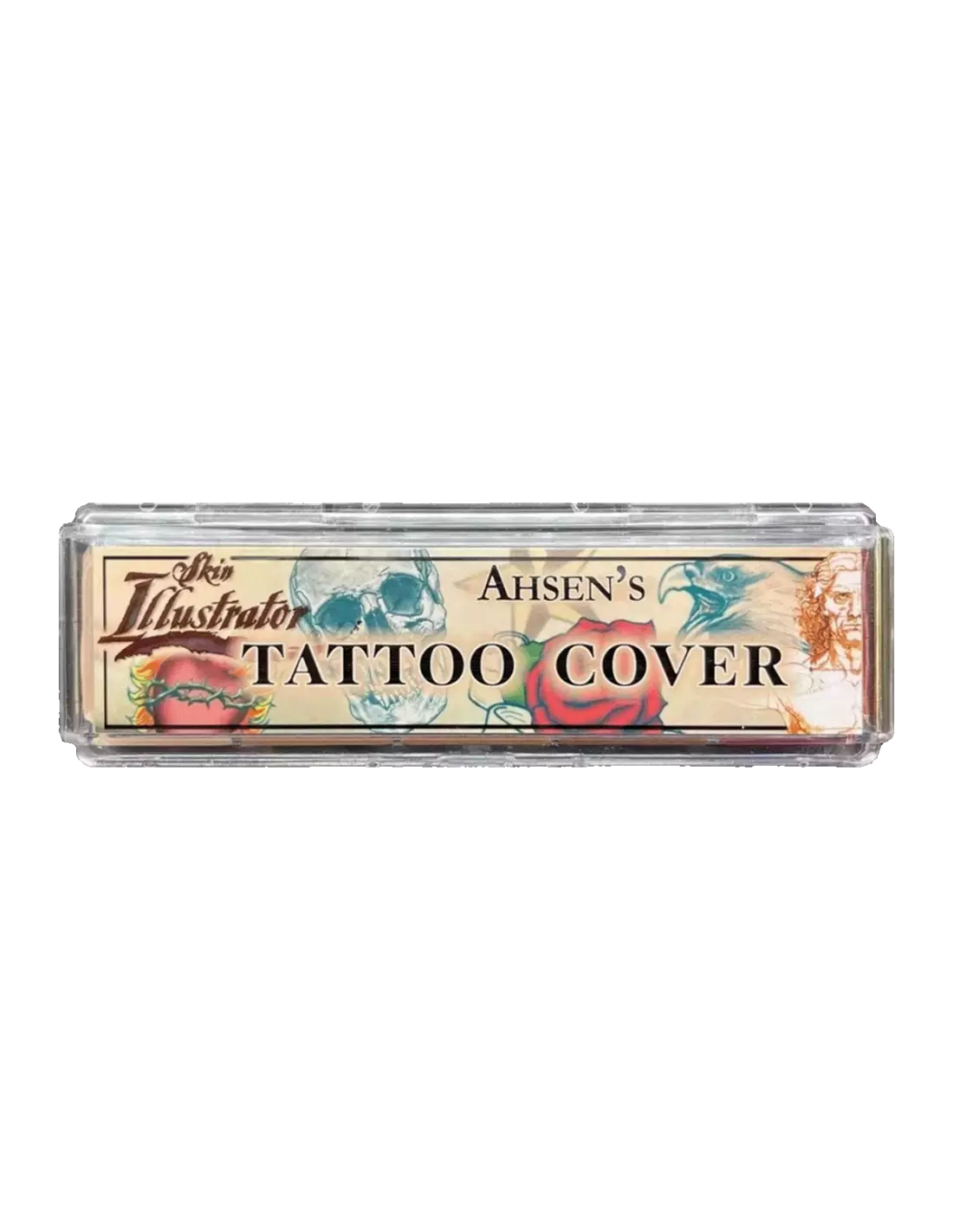
Skin Illustrator Mini Ahsen's Tattoo Cover
270027006
€59.00
71,39 € Tax incl.
71,39 € Tax incl.
Alcohol-activated makeup palette with 5 skin tones for tattoo coverage. Suitable for skin, silicone and latex.
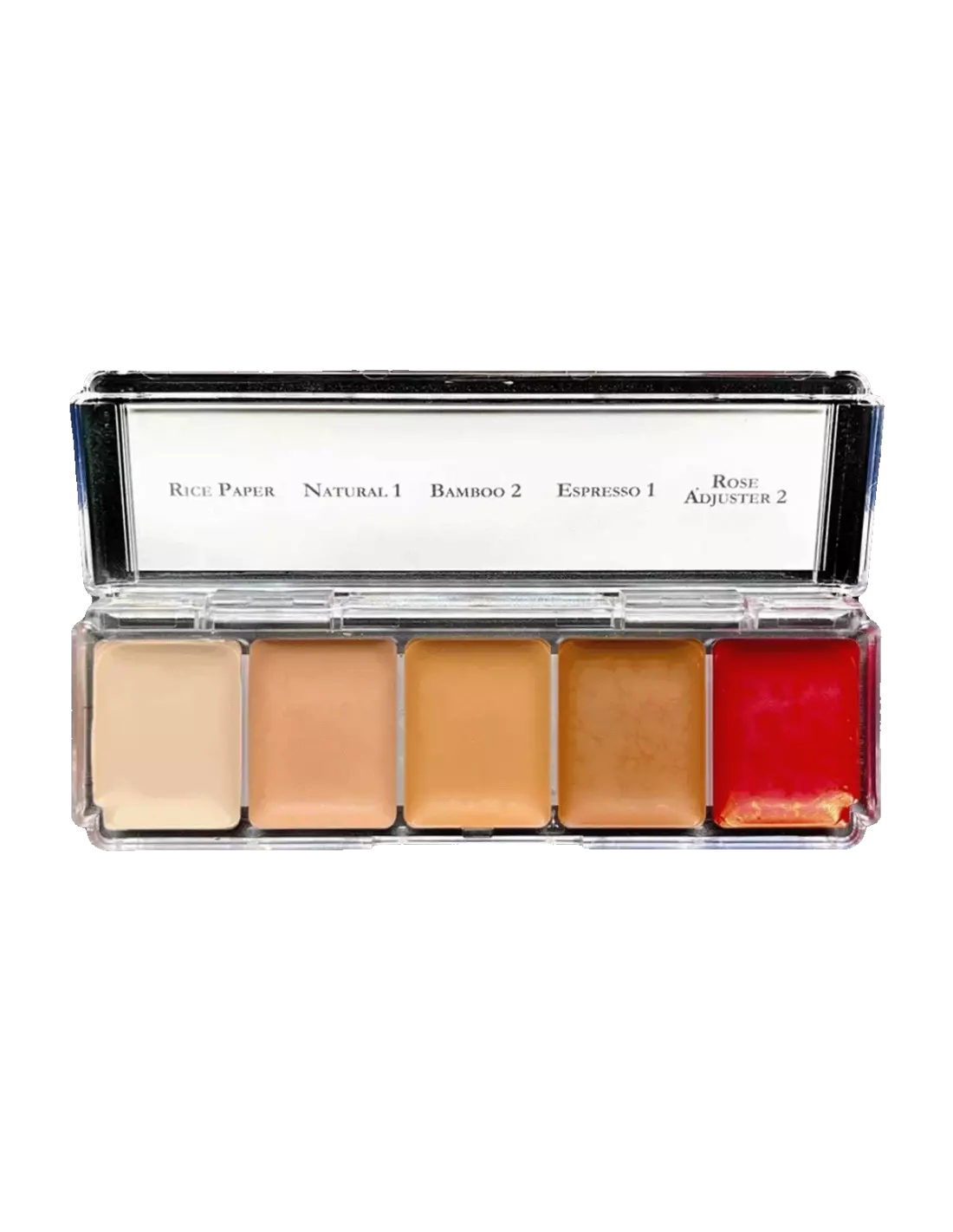
The Skin Illustrator Mini Ahsen's Tattoo Cover is an alcohol-activated makeup palette specialised in tattoo coverage, with 5 carefully selected skin tones: Rice Paper, Natural 1, Bamboo 2, Espresso 1 and Rose Adjuster. Formulated for makeup professionals, special effects and character work, it delivers opaque, long-lasting coverage on natural skin, silicone and latex.
Technical specifications
| Product type | Alcohol-activated makeup palette |
|---|---|
| Number of colours | 5 skin tones |
| Included colours | Rice Paper, Natural 1, Bamboo 2, Espresso 1, Rose Adjuster |
| Activation base | Isopropyl alcohol (isopropyl alcohol 99%) or specific activator |
| Compatible surfaces | Skin, silicone, latex |
| Main application | Tattoo coverage and character makeup |
| Format | Mini palette |
What it is used for
This palette is designed to achieve full tattoo coverage in audiovisual productions, theatre, fashion and clinical or aesthetic applications. The range of 5 tones allows you to mix and match the exact shade for each skin type. It is also ideal for character makeup on silicone and latex prosthetics.
- Full tattoo coverage on film sets, fashion shows and events
- Skin tone matching for character makeup
- Makeup on silicone prosthetics for special effects
- Makeup on latex pieces (masks, bald caps, prosthetic ears)
- Correction of blemishes, scars and uneven skin tone
- Educational use in SFX makeup courses and training
- Colour touch-ups on encapsulated silicone prosthetics
How to use it
- Clean and dry the application area thoroughly. On natural skin, degrease with 99% isopropyl alcohol (isopropyl alcohol) before starting.
- Load the brush or sponge with a few drops of Skin Illustrator Activator or Slow Activator, or with isopropyl alcohol 99%. Never use 70° alcohol, MEK, acetone or water, as they do not activate the ink correctly and can ruin the application.
- Pick up the desired colour from the palette with the wet brush and blend the tones on the back of your hand or on an auxiliary palette until you achieve the exact skin tone of the model.
- Apply in thin, even layers over the area to be covered. Allow each layer to dry before adding the next to maximise opacity and durability.
- Repeat in 2–4 thin layers until full coverage of the tattoo or treated area is achieved.
- Set the makeup with a sealer suitable for alcohol-activated makeup if greater resistance to sweat or friction is required.
- To remove the product, use Telesis Super Solv or a specific solvent for alcohol-activated makeup. Do not rub dry.
Tips and tricks
Blending tones for perfect coverage
The Rose Adjuster colour is the key to fine-tuning the final tone: add small amounts to warm up or balance the result on skin with rosy undertones. Always blend on the back of your hand or on an auxiliary palette before applying to the model's skin, and check the result under the set or stage lighting, as colour temperature greatly affects tone perception.
Layering technique for heavily saturated tattoos
Dark or heavily saturated tattoos require between 3 and 5 thin layers. Applying a single thick layer causes cracking and a poor finish. Work with very thin layers, allowing each one to dry completely before the next. If the tattoo has areas of intense black ink, start with Rice Paper as the first layer to neutralise before evening out the tone with the remaining colours.
Use on silicone and latex
Before applying makeup to a silicone prosthetic, make sure the surface is clean and free of any Release agent residue or talcum powder. Alcohol-activated ink adheres very well to intrinsically coloured silicone or in its base tone. On latex pieces, apply with a sponge in very thin layers to prevent product build-up in high-flex areas. If you need to expand your range of skin tones, combine this palette with the Skin Illustrator Complexion Palette for greater versatility.
Frequently asked questions
What activates these colours?
The colours in the Ahsen's Tattoo Cover palette are activated with Skin Illustrator Activator, Skin Illustrator Slow Activator or 99% isopropyl alcohol (isopropyl alcohol 99%). It is essential not to use 70° alcohol, water, MEK or acetone, as they do not activate the ink correctly and can deteriorate the finish.
Can it be applied directly to skin without preparation?
It is highly recommended to clean and degrease the skin before application. Skin with traces of cream or sweat significantly reduces the adhesion and longevity of the makeup. Wipe the area with a cotton pad soaked in isopropyl alcohol 99% and allow to dry before starting.
How many layers are needed to cover a tattoo?
It depends on the saturation of the tattoo. In most cases, between 3 and 5 thin layers are sufficient to achieve full coverage. Tattoos with dense black ink may require additional layers. The key is never to apply thick layers: the result is always better with several thin, well-dried layers.
Does it work on silicone and latex prosthetics?
Yes. The Skin Illustrator Tattoo Cover is formulated to adhere to skin, silicone and latex. It is one of the most widely used alcohol-activated makeup systems in special effects precisely because of its compatibility with these substrates.
How is this makeup removed?
The product is easily removed with Telesis Super Solv or any specific solvent for alcohol-activated makeup. Apply the solvent with a cotton pad, leave it to act for a few seconds and remove without dry rubbing to avoid irritating the skin or damaging the prosthetic.
Is it suitable for sensitive skin?
Skin Illustrator is a leading brand in the professional makeup sector and its formulas are developed for use on skin. However, on very sensitive or allergy-prone skin, it is advisable to carry out a patch test on a small area before applying to larger areas.
Can I mix the colours in this palette with other Skin Illustrator palettes?
Yes, all colours in the Skin Illustrator range are compatible with each other. You can combine the tones from the Ahsen's Tattoo Cover with those from the Flesh Tone Palette or the Complexion Palette to expand your range and match any skin tone with greater precision.
Is it suitable for makeup students?
Yes. The mini format of Skin Illustrator palettes is particularly well suited to students and professionals who want access to the range without investing in full-size palettes. The performance and ink quality are identical to those of the larger versions.
No reviews
Tap to zoom