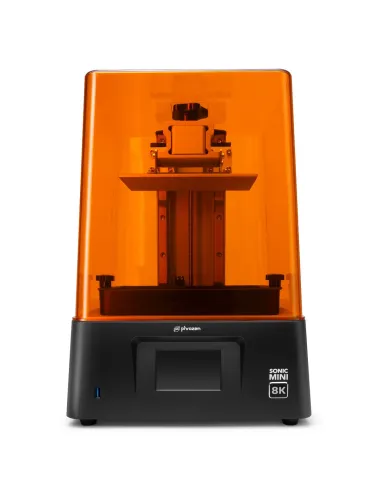
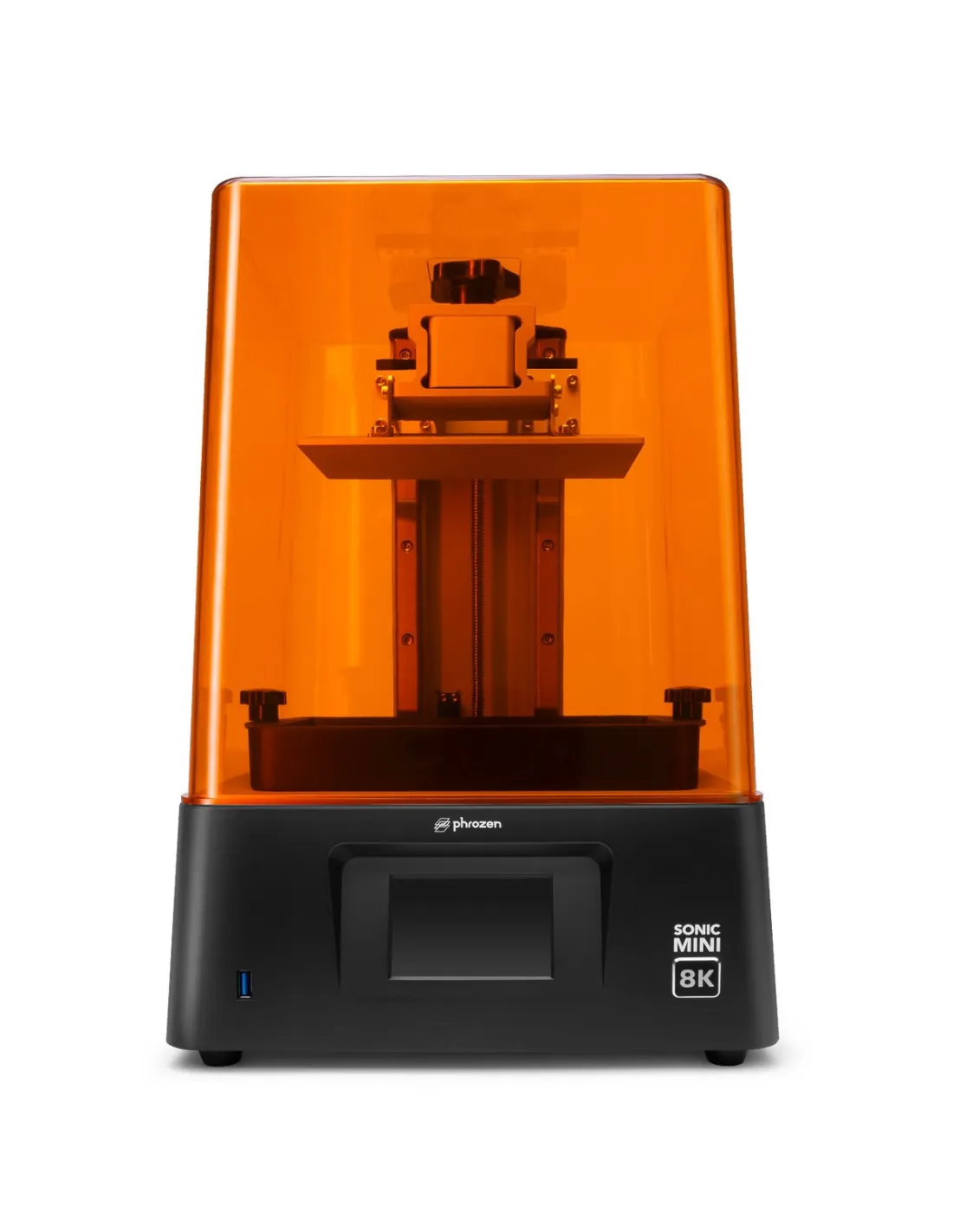
The Phrozen Sonic Mini 8K is a monochromatic LCD resin 3D printer with an XY resolution of 22 µm (1152 ppi), designed for those who need maximum detail in a compact format. With a 7.1-inch screen and 18 cm Z-axis, it is the reference tool for printing miniatures, busts and highly complex parts with finishes that go beyond what can be achieved by hand.
Technical specifications
| Parameter |
Value |
| Technology | Monochromatic LCD resin |
| XY Resolution | 22 µm (1152 ppi) |
| Layer thickness | 0.01 – 0.30 mm |
| Print volume | 16.5 x 7.2 x 18 cm (L x W x H) |
| Screen | 7.1" monochromatic LCD |
| Light source | Linear projection LED module |
| Maximum speed | 80 mm/hour |
| Rails | Dual linear rails |
| Control panel | 3.5" touchscreen |
| Recommended software | CHITUBOX V1.9 (free) |
| Connectivity | USB |
| Operating system | Phrozen OS |
| Power supply | AC 100–240 V ~ 50/60 Hz |
| Printer dimensions | 29 x 29 x 42 cm |
What it is used for
The Sonic Mini 8K is geared towards printing parts that demand the highest level of detail within a medium-sized work volume. It is the standard choice in special effects studios, scale modelling, jewellery and precision prototype manufacturing.
- Miniatures for board games and wargames with extremely fine textures
- Character busts and sculptures with high-resolution facial details
- Jewellery prototypes and precision technical parts
- Masters for silicone or polyurethane moulds
- Anatomical models and small-format medical or dental parts
- Props and set dressing elements for audiovisual productions and special effects
How to use it
- Install and configure CHITUBOX (free version). Import your STL or OBJ file and orient the part to minimise supports and maximise surface quality.
- Configure the layer parameters according to the resin you are going to use: exposure time per layer, base layers and lift speed.
- Export the file in a format compatible with Phrozen OS and transfer it to the printer via USB.
- Shake the resin bottle well, fill the vat without exceeding the maximum line and level the build platform following the process shown on screen.
- Start the print from the touchscreen panel and monitor the first layers to confirm adhesion to the platform.
- Once finished, carefully remove the platform, detach the parts with a spatula and collect the leftover resin from the vat to reuse or dispose of correctly.
- Clean the parts with isopropyl alcohol 99.9% in two successive baths (dirty bath + clean bath) and allow to dry before final curing.
- Cure the parts in a UV station for the time recommended by the resin manufacturer to achieve final mechanical strength.
Warning — Working with photopolymer resins: Uncured resins are irritants to the skin, eyes and respiratory tract. Always work in a well-ventilated space, wear nitrile gloves and safety glasses. Do not pour uncured resin down the drain; cure liquid waste with UV light before disposing of it in accordance with local chemical waste regulations.
Usage tips
File preparation and part orientation
The 22 µm XY resolution of the Sonic Mini 8K is only fully exploited when the part orientation in the slicing software is correct. Orient the surfaces with the most detail parallel to the screen (XY plane) to capture them at maximum resolution. Reserve the Z-axis for dimensions that tolerate more stepping or that will be hidden. Add supports only where strictly necessary and use fine tip diameters to make removal easier without damaging the surface.
Vat and FEP film maintenance
The vat film is a consumable that wears with use. Inspect the PFA/nFEP film compatible with the Sonic Mini before each session: if it shows marks, cloudiness or micro-scratches, replace it. A worn film reduces the quality of the lower layers and increases the risk of the part detaching. Clean the vat carefully after each use, avoiding metal tools that could scratch the film.
Resin storage and management
Do not leave resin in the vat for extended periods without printing: ambient exposure can trigger partial curing and ruin both the resin and the film. If you are going to pause work for more than a few hours, return the resin to the original bottle by filtering it through a fine mesh to remove any cured lumps. Store resin bottles in a dark, cool place, tightly sealed. Always shake the bottle before use to homogenise the pigments and suspended fillers.
Frequently asked questions
What slicing software do I need to start printing?
The Sonic Mini 8K is compatible with the main slicers on the market. CHITUBOX (free version) is the most widely used and works correctly with this printer from the very first configuration. You simply need to select the Sonic Mini 8K profile in the software, import your model and export the sliced file in a compatible format. No paid software is included in the box.
What format does my 3D model need to be in to print it?
The most common formats are STL and OBJ. The slicing software imports them directly, scales, orients and generates the necessary supports before exporting the file in the printer's native format. The origin of the model (3D scanner, design programme, download) is irrelevant as long as the file is in a compatible format.
What type of resin should I use?
The Sonic Mini 8K is compatible with standard 405 nm LCD photopolymerisation resins. To make the most of the 22 µm resolution it is advisable to use resins formulated for high definition. Always adjust exposure times to the specific resin you are using, as each formulation has its own optimal parameters.
How often does the vat film need to be replaced?
It depends on use and the type of resin. As a general reference, a film under normal conditions will last between 1 and 3 litres of printed resin before showing visible signs of wear. Inspect the film before each session. At Feroca you can find the PFA/nFEP Phrozen film 290x210mm and the PFA/nFEP Phrozen film 310x220mm as replacements.
How do I clean the printed parts?
The standard method is washing with isopropyl alcohol 99.9%. Two baths are recommended: the first removes most of the uncured resin and the second leaves the part clean. After washing, allow the part to dry completely before moving it to the UV curing station. Avoid excessive washing times, as these can soften parts with small cross-sections.
Can I use this printer to make masters for silicone moulds?
Yes. The 22 µm resolution makes it a very solid option for producing high-definition masters. Bear in mind that cured photopolymer resins contain compounds that can inhibit the curing of platinum (addition) silicones. Before pouring silicone over a resin-printed master, apply a coat of sealer or always carry out a cure test with a small amount of silicone in contact with the part.
What is the difference between this printer and larger-format models?
The Sonic Mini 8K has a print volume of 16.5 x 7.2 x 18 cm, optimised for small and medium parts with maximum detail. If you need to print larger parts while maintaining 8K resolution, Feroca also distributes the Phrozen Sonic Mega 8K V2 and the Phrozen Sonic Mega 8K S, with significantly larger build platforms.
Does the printer include everything needed to start printing?
The box includes the printer, the resin vat with film installed, the build platform, the spatula, gloves, a mask and the power cable. You only need to purchase the resin separately and download the free slicing software. For post-processing, isopropyl alcohol 99.9% and a UV light source will complete your workflow.